If you're opening a new storefront, refreshing an office, or trying to make a temporary event look polished, you run into the same problem fast. You need graphics that look clean, fit the space correctly, and hold up once they're installed.
That might mean window lettering for store hours, directional signs for a weekend event, privacy film for interior glass, or cut labels for walls, doors, and displays. Most business owners don't start by asking, "What is a vinyl plotter?" They start by asking, "How do I get this signage made without wasting time and money?"
A vinyl plotter is a primary tool behind those graphics. It's the machine that cuts letters, shapes, logos, and patterns out of vinyl with far more accuracy than hand-cutting could. In practical shop terms, it's what turns a design on a screen into something you can weed, tape, and install on a window, wall, panel, or sign face.
For some businesses, owning one makes sense. If you produce the same types of simple graphics repeatedly, a plotter can become a useful in-house production tool. For many others, it becomes one more machine that needs software, blade setup, material testing, operator skill, and floor space before it saves a dollar.
Practical rule: A vinyl plotter saves money when your work is frequent, repeatable, and simple. It becomes expensive when your jobs are occasional, rushed, oversized, or detail-heavy.
The smart decision isn't just learning what the machine is. It's understanding where it fits in your operation, its strengths, its limitations, and when outsourcing gives you a better result with less friction.
Introduction
Many business owners hit the same moment. The grand opening date is set, the event banner is ordered, and then somebody notices the front windows are still blank and the interior signs don't guide anyone where they need to go.
That's when cut vinyl enters the conversation.
A vinyl plotter is the machine that produces many of those clean, professional graphics. It cuts lettering, logos, symbols, and shapes from vinyl so they can be applied to glass, walls, rigid sign panels, and other surfaces. In a sign shop, it's a highly practical tool on the floor because it handles fast-turn graphics without the setup burden of larger fabrication equipment.
For a new business owner, the machine can look deceptively simple. You load material, send a file, and watch it cut. In reality, the finished result depends on multiple factors aligning: the file has to be prepared correctly, the blade pressure has to match the material, the vinyl has to track straight, and the installer has to apply it cleanly.
That matters because the machine itself isn't the product. The installed graphic is.
If you're trying to decide whether to bring production in-house or work with a sign company, that's the right lens to use. Don't judge the machine by the demo. Judge the entire workflow by the quality, waste, labor, and consistency you need from it.
What is a vinyl plotter in business terms? It's a production asset for cut graphics. Used well, it helps create polished branding, wayfinding, privacy film layouts, promotional lettering, and compliance graphics. Used poorly, it creates wasted material, crooked tracking, torn small text, and extra labor at the worst possible time.
Understanding the Modern Vinyl Plotter
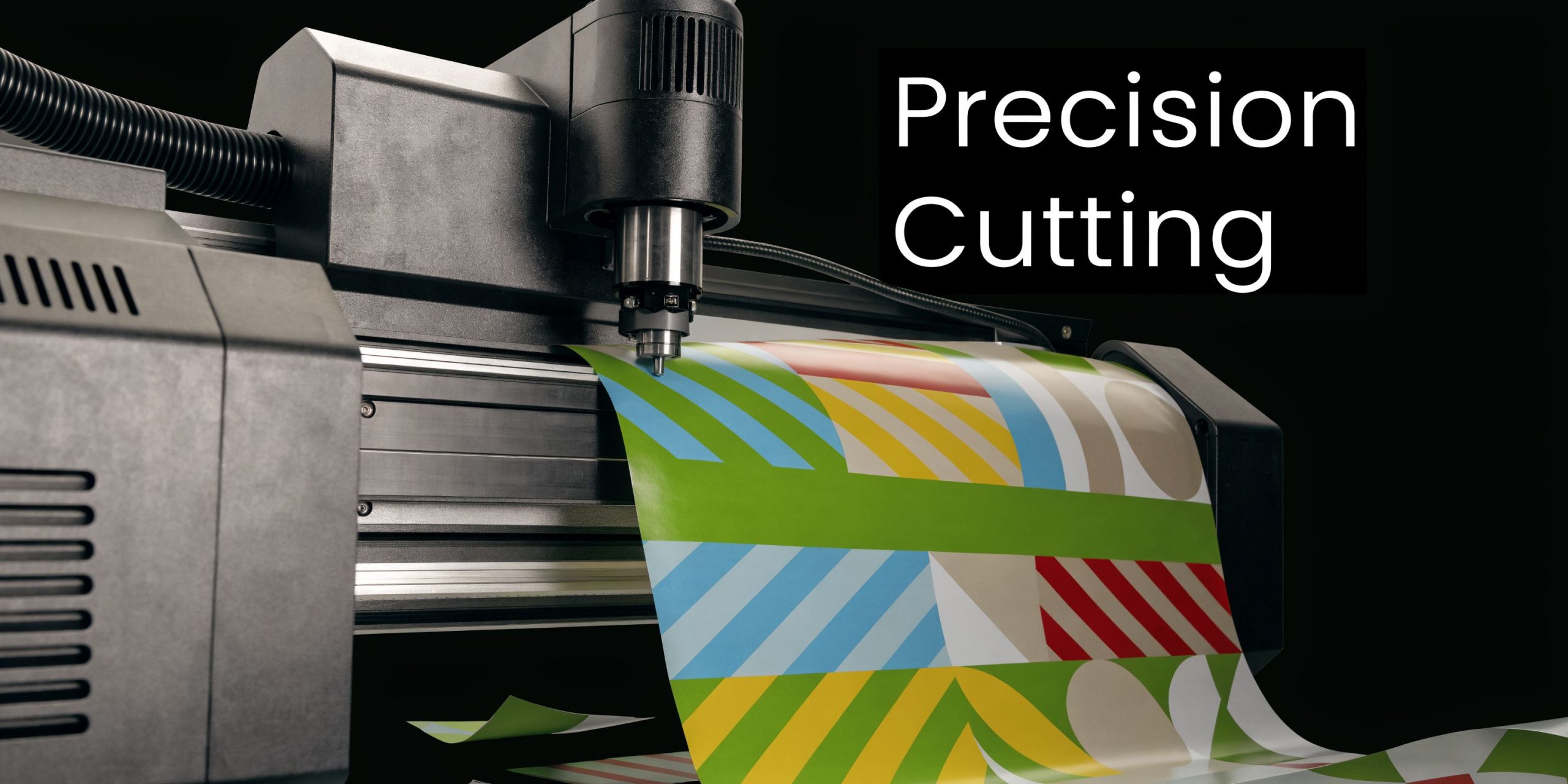
A modern vinyl plotter is a computer-controlled cutting machine. Instead of printing ink, it moves a sharp blade across vinyl to cut a design based on a vector file.
The easiest way to think about it is this. It's a highly precise craft knife that's driven by software instead of by hand.
Vinyl plotter and vinyl cutter mean almost the same thing now
Many buyers get confused by this. Historically, plotters used pens for drawing schematics, while cutters used blades for cutting sign material. In the sign industry today, modern "cutting plotters" are the same thing as vinyl cutters, and the practical difference is the tool carriage. If the machine holds a blade for cutting vinyl, that's what matters, not the label on the brochure, as explained by Likcut's overview of vinyl cutter vs vinyl plotter terminology.
That distinction matters for sign work. A business producing window graphics, ADA-related layouts, or cut lettering needs blade precision, not a machine name that sounds more industrial.
Where the machine came from
The technology didn't start with vinyl signs. It grew out of earlier plotting equipment used for drawing technical lines. As those systems evolved, manufacturers replaced the pen with a blade and adapted the machine for roll-fed materials used in commercial graphics.
That history explains why plotters are good at line accuracy and vector-based work. They were built around controlled movement first, then adapted for sign production.
If you're still sorting out which sign types rely on cut vinyl versus printing or fabrication, this guide to types of signage for businesses helps clarify where plotter-made graphics fit.
What the machine does well
A vinyl plotter shines when the job calls for clean edges and repeatable shapes.
It handles work like:
- Lettering and logos for glass, walls, and painted panels
- Frosted vinyl patterns for office privacy
- Wayfinding graphics with arrows, room names, and identification marks
- Short-run promotional graphics that need a crisp cut edge
The machine is precise, but only within the limits of the file, material, setup, and operator. Shops that forget that blame the machine for mistakes made upstream.
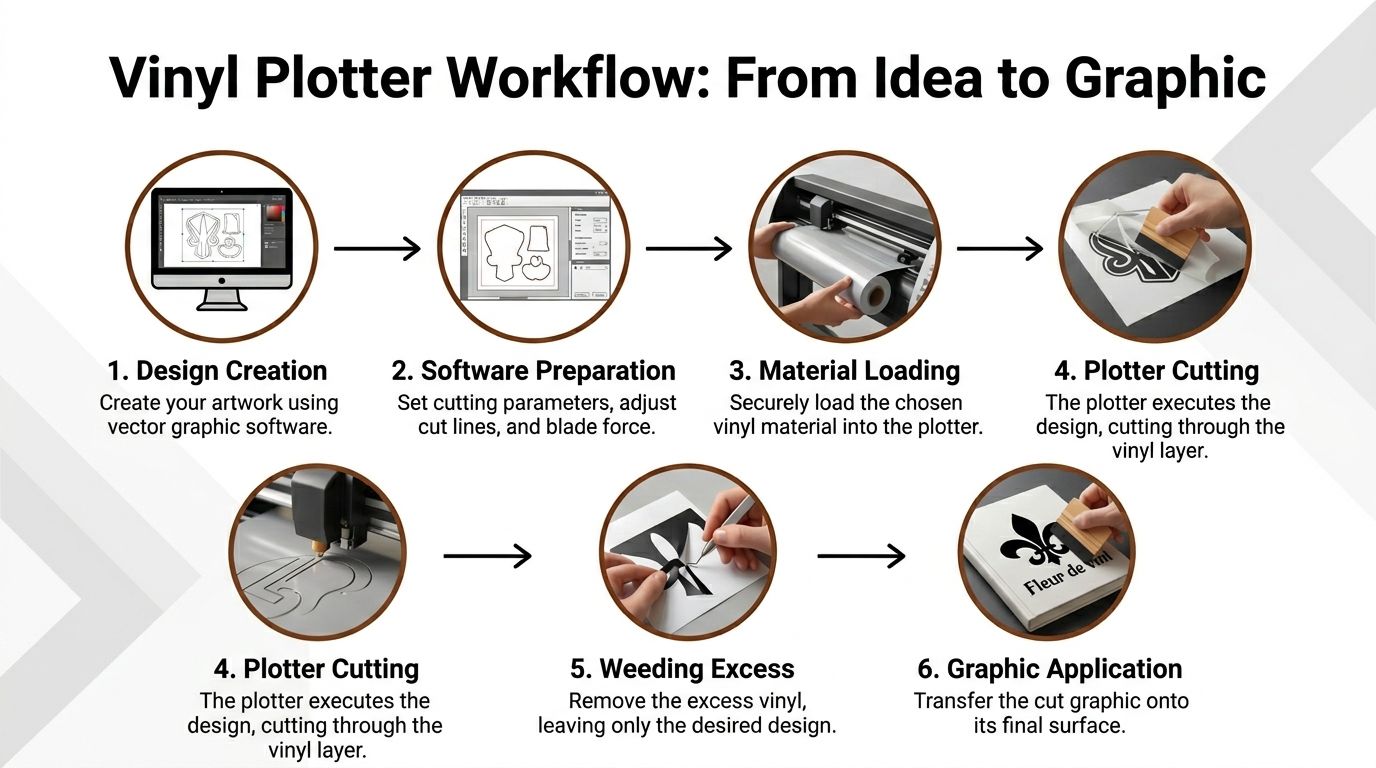
From Digital File to Finished Graphic The Plotter Workflow
A plotter doesn't create graphics by itself. It follows instructions. The quality of the finished piece comes from the full chain, from file prep to installation.
The parts that matter on the machine
Before looking at the workflow, it helps to know the core components:
- Blade and blade holder control the cut depth into the material.
- Carriage moves the blade left and right across the vinyl.
- Pinch rollers hold the material and feed it through the machine.
- Control panel lets the operator load media, run tests, and adjust settings.
- Cutting strip or platen area supports the material while the blade works.
If one of these is off, the job tells on itself. The vinyl may drift, corners may lift, or small letters may tear during weeding.
Workflow in Production
Most jobs move through five practical stages.
Design the artwork
The file needs to be vector-based. Plotters follow paths, not pixels. If the artwork is messy, has open paths, or includes details that are too fine for the material, the machine will cut exactly what you told it to cut, including the mistakes.Set up the job
The operator loads the vinyl, squares it under the rollers, selects the right blade condition, and sends the file from cutting software. This is also where force, speed, and origin point get set.Run the cut
The blade moves while the rollers feed the material. Good tracking is critical on longer runs. If the vinyl walks sideways, the design won't stay aligned.Weed the excess
After cutting, someone removes the unwanted vinyl by hand. At this stage, weak file prep and poor cut settings become expensive. Fine text and tight corners can fail here even if the machine seemed to cut cleanly.Apply transfer tape and install
The design is masked, positioned, and applied to the final surface. That's the part the customer sees, so installation quality matters just as much as cutting quality.
Why force and precision matter
A plotter's cutting pressure is one of the most important specifications. Higher force, such as 550g or more, allows the machine to cut thicker or denser materials beyond standard vinyl. Professional models can also reach tolerances of ≤0.1mm, which matters when you're cutting small letters or intricate details, according to Celadon's explanation of cutting pressure and precision.
Here's the practical version. If force is too low, the blade won't finish the cut and somebody has to manually pick, trim, or recut the work. If force is too high, the blade can cut too deep and damage the liner or distort small details.
A good operator doesn't chase speed first. They run a test cut, confirm the weed, and then scale production.
Where beginners usually lose time
Three mistakes show up repeatedly:
- Overdetailed artwork that looks fine on screen but weeds badly in real material
- Wrong blade settings for the vinyl being used
- Poor media loading that causes skew on longer jobs
A plotter rewards discipline. Shops that build standard settings, test routines, and material profiles get steady output. Shops that skip setup end up recutting jobs.
Choosing the Right Plotter and Materials for Your Goals
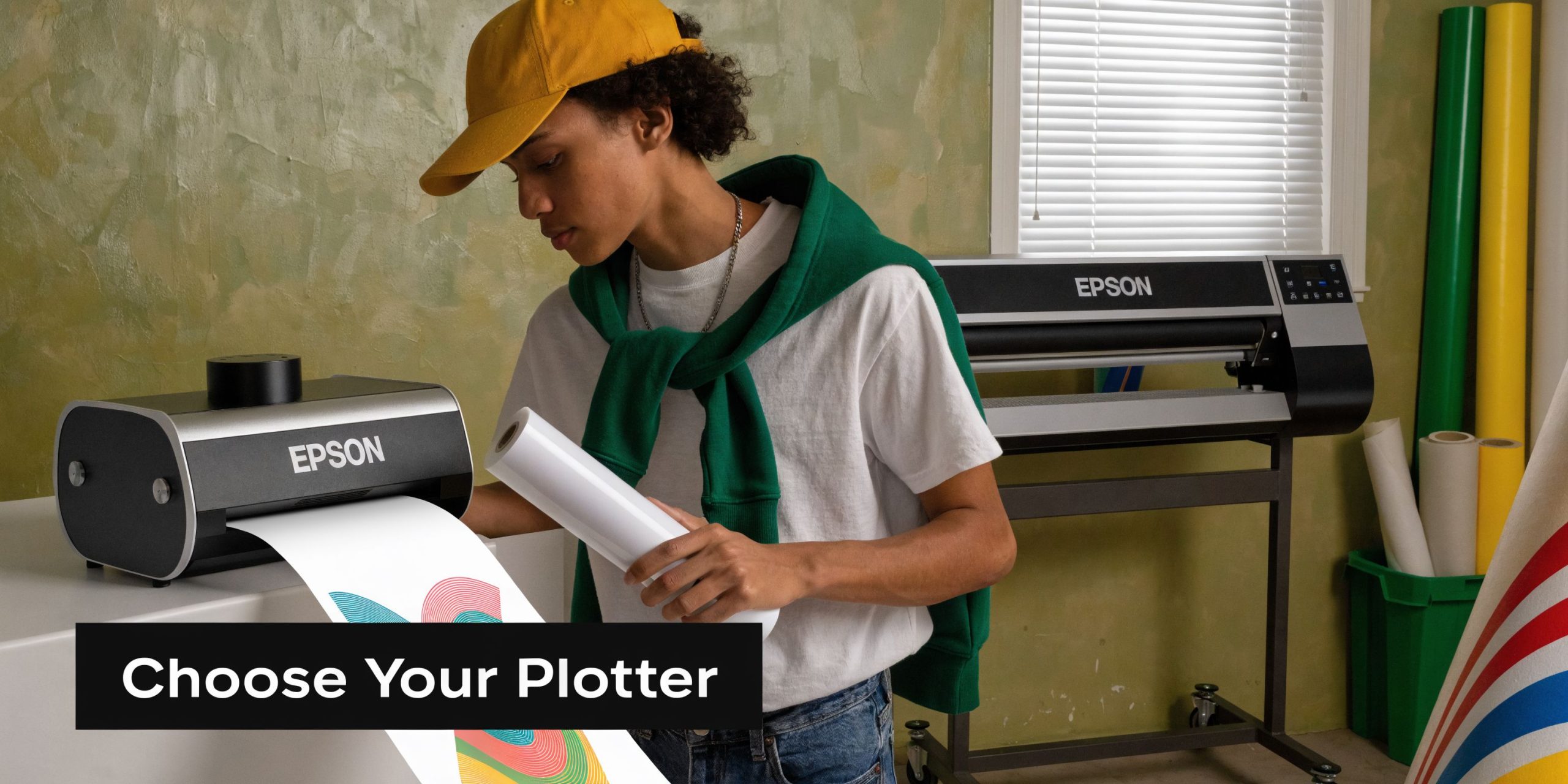
The right machine depends on the work you produce rather than brand hype. If your jobs are occasional and small, one class of machine fits. If you're cutting full window programs or repeated signage sets, you need a different tool.
Match the machine to the workload
The vinyl plotter evolved from earlier pen plotter technology, including Hewlett-Packard systems that reached 1000 dpi line resolution, and by the 1990s and 2000s computer integration had made cutter-style machines common entry-level tools in sign shops, as described in Macroenter's pen plotter history.
That evolution gave us two broad buying paths.
| Machine type | Best fit | What works well | What usually doesn't |
|---|---|---|---|
| Desktop plotter | Small shops, low-volume internal use | Labels, simple lettering, short graphics | Long runs, wide window work, frequent production |
| Professional wide-format plotter | Sign production, regular commercial jobs | Larger graphics, repeat jobs, better tracking | Overkill for very occasional use |
Desktop machines have their place. They can help a boutique, church office, or startup test simple projects without a large footprint. If you're still learning basic cut file prep, beginner resources like Cricut projects for beginners can help you understand how cutting workflows behave before you move into commercial-grade production.
Wide-format machines are where sign throughput starts to make sense. They handle longer material runs better, accept broader media widths, and track more reliably.
Cutting head trade-offs
Not every machine cuts the same way.
- Drag knife systems are common and practical for standard sign vinyl.
- Tangential-style control is better when corners, thick films, or sharp directional changes matter.
- Heavier-duty setups matter when you're cutting denser specialty materials and want fewer failed corners.
If your work is mostly standard adhesive vinyl lettering, you don't need to overbuy. If you expect heavier films, layered jobs, or tight small graphics, machine precision becomes significantly more important.
A quick visual helps if you're comparing machine classes and shop use cases:
Materials that make business sense
Most buyers focus too much on the machine and not enough on the material stack they plan to cut.
Common sign-related materials include:
- Adhesive-backed vinyl for windows, walls, panels, and general cut graphics
- Heat transfer vinyl for fabric-based display applications
- Static cling for removable glass messages
- Frosted or etched-look vinyl for privacy and interior branding
Material choice drives appearance, lifespan, install difficulty, and removal behavior. If you're selecting graphics for exterior conditions, this guide on choosing the best material for outdoor signs is a useful next step.
How Plotters Differ from Printers and CNC Routers
New buyers often group these machines together because they sit somewhere between design software and a finished sign. In practice, they solve distinct production problems.
Plotter versus office printer
An office printer places ink or toner on paper. A vinyl plotter cuts shapes from material.
That's the basic dividing line. If you need a page with text and photos, use a printer. If you need crisp standalone letters, symbols, or shapes cut from vinyl, use a plotter.
The confusion starts when someone sees a finished window graphic and assumes it was "printed." Many aren't. A lot of clean lettering jobs are cut from solid-color vinyl, then transferred to the surface.
Plotter versus large-format printer
This comparison matters significantly more in commercial signage.
A large-format printer produces full-color output on media. A plotter cuts through material along vector paths. They often work together, but they do different jobs.
If you need gradients, photographic images, or detailed color blends, a printer handles that side of production. If you need contour-cut lettering, logos, or shape-based graphics, the plotter takes over. Some professional workflows combine both in a print-then-cut process.
If you want a clearer picture of where printing fits in the sign process, this overview of large-format printing lays out the role of printed graphics versus cut graphics.
Plotter versus CNC router
A CNC router is a different class of equipment altogether.
A plotter uses a blade and works best on thin, flexible materials such as sign vinyl and similar films. A CNC router uses a spinning bit to cut or carve rigid substrates like wood, acrylic, metal composites, and dense sign board.
Use a plotter when the finished product is a cut film or graphic layer. Use a router when the substrate itself needs to be shaped.
If the material bends in your hands, a plotter may be the right tool. If the material needs sawdust control, hold-down force, and a rigid bed, you're in router territory.
Where buyers make the wrong call
The most common mistake is buying a plotter and expecting it to replace a printer or router. It won't.
A plotter is narrow by design. That's why it's valuable. It does one category of work efficiently when the files, materials, and application fit the process.
Powerful Business Applications of Cut Vinyl Graphics
The best way to understand a vinyl plotter is to look at the work it supports in daily business use. Not theory. Sign tasks that need to get done.
Retail and customer-facing spaces
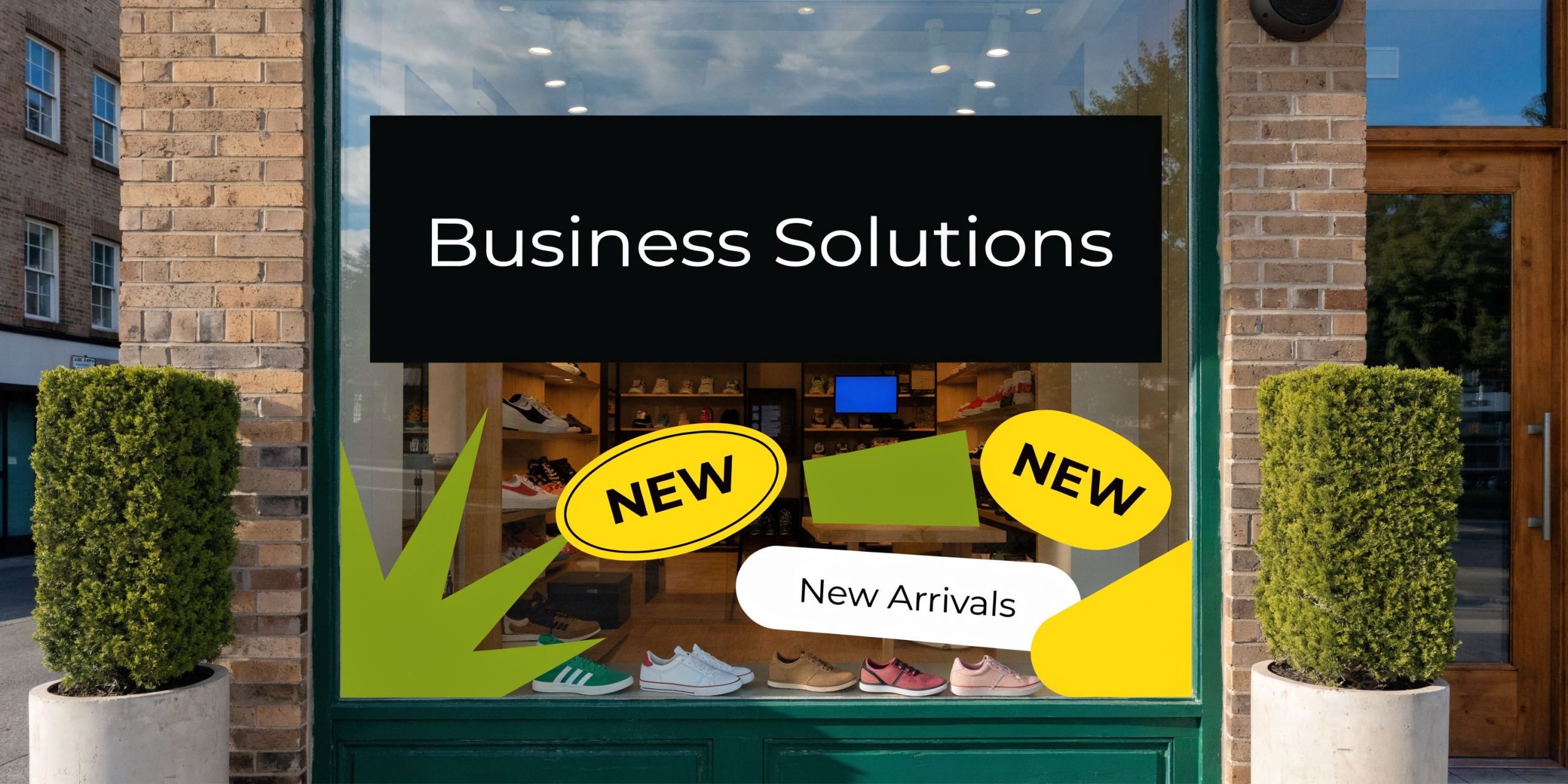
A retail shop can do much with cut vinyl without rebuilding the whole storefront.
Seasonal window promotions, store hours, sale messaging, fitting room labels, return policy text, and category markers are all strong uses. For many businesses, business window graphics are the fastest way to make a location look active and organized.
When the graphics are cut well, the result looks sharp because edges stay clean and the lettering sits directly on the glass or panel. It reads as intentional, not temporary.
Warehouses and operational facilities
Industrial and distribution spaces care less about style and more about clarity.
Plotter-cut graphics work well for:
- Bay identification on doors and walls
- Safety messaging on interior surfaces
- Directional arrows for staff and visitors
- Equipment labels and zone markers
In these environments, consistency matters. If one label set is slightly off, people notice. If fifty are off, operations notice.
High-precision plotters can reduce material waste from jagged corners by up to 25%, and auto-nesting software can improve material utilization by 35%, according to Velocity Plotters' guide to choosing plotters and cutters. Those gains matter most when you're producing repeated graphics across multiple spaces.
Schools, churches, and community spaces
These jobs often mix welcome messaging with wayfinding.
A school may need door names, office identification, event signs, and wall messaging. A church may need directional graphics for classrooms, kids' check-in, and temporary event signage. These aren't always complex fabrication jobs, but they still need to look coordinated. Here, cut vinyl is effective. It gives you a clean finished look without the weight, thickness, or production time of rigid sign fabrication for every message.
Small design projects and specialty decals
Some businesses also use plotters for custom sticker-style output, samples, and branded accessories. If you're trying to understand how end users buy simple decal products, browsing examples of custom car decals can be useful from a market research standpoint, even if your own business focus stays on storefront, facility, or event graphics.
The useful lesson isn't the product category itself. It's how buyers respond to clear shape, color contrast, and easy application.
Clean cut vinyl works because it communicates fast. People don't need to decode it. They see it, read it, and move.
The Smart Decision Buying a Plotter vs Partnering with Pros
The market for vinyl cutting equipment isn't shrinking. The global vinyl cutting machine market was valued at USD 1.175 billion in 2024 and is projected to reach USD 2.324 billion by 2032 at a CAGR of 8.9%, driven by demand for customizable signage in sectors like retail, real estate, and promotional products, according to Slabyte's market overview of vinyl plotter machines.
That growth makes sense. More businesses want faster, more customized graphics.
But market growth doesn't answer your operating question. Should you buy one?
When buying makes sense
Buying a plotter can be a rational move if your business has:
- Frequent repeat jobs such as internal labels, basic lettering, or recurring promotional graphics
- Staff capacity to learn software, test materials, and handle production errors
- Space and workflow discipline for media storage, weeding, masking, and installation prep
In that environment, the machine becomes part of an internal production system.
When partnering makes more sense
Outsourcing is the better decision when the work is varied, deadline-sensitive, or tied to a larger signage program.
That includes jobs involving design cleanup, unusual materials, code-related requirements, professional installation, or multiple locations that need a consistent rollout. In those cases, a full-service sign company handles more than cutting. It manages artwork preparation, production method selection, fabrication coordination, and install logistics.
One option businesses evaluate is On Display Signs, Inc., which handles national sign projects including design consultation, fabrication, permitting, installation, and maintenance. That's different from owning a cutter and hoping internal staff can absorb the rest of the process.
The practical financial view
A plotter is rarely expensive because of the purchase alone. It gets expensive when:
- the wrong machine is bought,
- material gets wasted,
- labor gets tied up in weeding and recuts,
- or the final install still needs outside help.
If your team needs signage occasionally, the machine may sit more than it runs. In that case, the lower-overhead move is to partner with specialists and keep your staff focused on the business you run.
Frequently Asked Questions About Vinyl Plotters
What software do you need to run a vinyl plotter
You need software that creates or exports clean vector artwork and software that can send cut paths to the machine.
In practice, shops often build artwork in programs like Adobe Illustrator or CorelDRAW, then output through dedicated cutting software. What matters most is not the brand name. It's whether the file has clean paths, correct sizing, and no hidden errors before cutting starts.
Is vinyl plotter maintenance difficult
No. Most maintenance is routine.
Keep the machine clean, check the rollers, clear small scraps from the cutting area, and replace blades when cuts stop weeding cleanly. A dull blade causes more problems than many beginners expect. It can drag corners, lift details, and make operators chase settings that aren't the issue.
Can a vinyl plotter print graphics too
No. A standard vinyl plotter cuts. It doesn't print full-color images.
Some production workflows use a printer first and then use a plotter to contour-cut around the printed graphic. That's called print-then-cut. On machines set up for that workflow, optical alignment features help the cutter find registration marks and follow the printed shape accurately.
What's the biggest mistake first-time buyers make
They buy based on the machine demo instead of the full workflow.
The machine may cut beautifully in a showroom. Your final result depends on file prep, media handling, test cutting, weeding labor, masking, and installation skill. If any one of those steps breaks down, the output won't look professional.
Can a small business start with a basic machine
Yes, if the work is simple and the expectations are realistic.
Basic machines can handle light-duty internal graphics and short-run projects. They aren't the right answer for wide commercial jobs, demanding detail work, or frequent production schedules. A small machine is a starting point, not a replacement for a full sign production setup.
If you're deciding whether to buy equipment or hand the work to specialists, On Display Signs, Inc. can help you evaluate the scope, materials, production method, and installation needs before you commit. That kind of review is often the fastest way to avoid buying a machine for work that's better handled through a complete sign program.