Digital menu displays are the modern answer to the old-school printed menu. Instead of static paper and ink, they use electronic screens to show off what you’re selling with dynamic content, real-time price changes, and visuals that actually make people hungry. A practical example is a fast-food restaurant showing a sizzling video of a burger being made, which is far more enticing than a simple text description.
What Are Digital Menu Displays
Think of your traditional menu as a photograph—it’s a single, fixed snapshot of your offerings. A digital menu display, on the other hand, is like a high-definition movie. It’s a living, breathing tool that can turn a simple list of items into an experience that pulls customers in, drives sales, and adapts to your business on the fly.
These displays aren't just fancy TVs; they're powerful marketing and operational tools. Showing a crisp, sizzling video of your signature burger is always going to be more persuasive than a few lines of text. This visual storytelling helps guide customers' decisions and can make a real difference in your average ticket size.
The Core Benefits for Your Business
Digital menus give you a kind of agility that's just impossible with printed versions. The advantages are immediate and tangible.
- Effortless Updates: Need to change a price, feature a new seasonal dish, or 86 an item that just sold out? You can push that update to every screen in seconds. That means no more costs or headaches from reprinting menus every time you make a small tweak. For instance, if the cost of avocados suddenly spikes, you can adjust the price of guacamole on all menus from one central computer in under a minute.
- Increased Sales: You can strategically spotlight high-margin items, run a flash promotion, or showcase a meal combo with eye-catching animations. A practical example is programming the menu to feature a "Dessert of the Day" with an enticing photo right as the dinner rush begins, prompting impulse buys.
- Improved Customer Experience: Engaging content makes the wait feel shorter, while a clear, bright menu is easier for everyone to read. This modern touch makes the whole ordering process feel smoother and more professional.
You can see how these benefits feed into each other to create a smarter, more profitable system.
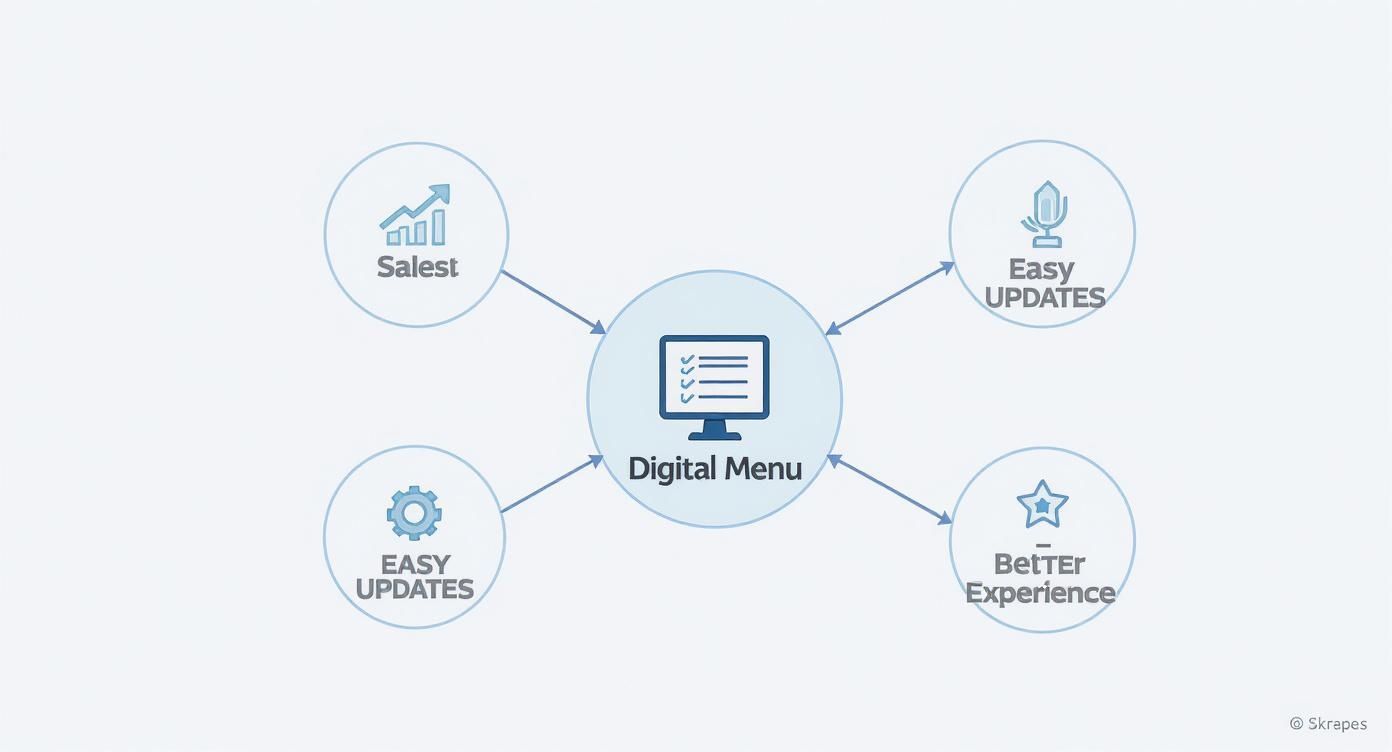
It all starts with the freedom to make instant updates. That operational flexibility is what unlocks the potential for higher sales and a better journey for your customers.
A Growing Trend in Food Service
This isn't just a fleeting trend; it's a fundamental shift in the food service industry. The global digital menu board market was already valued at over $2.6 billion in 2022, and it's on track to hit nearly $3.9 billion by 2028. Quick-service restaurants are leading the charge, making up over 75% of the market because the return on investment is so clear.
By swapping static paper for dynamic screens, a business essentially hires a "silent salesperson." It works 24/7 to push promotions, suggest add-ons, and keep the menu perfectly accurate—all without adding to the payroll.
At the end of the day, having a smart digital menu strategy is becoming essential for any modern restaurant or cafe. The technology, from standard LCDs to brilliant LED digital signs, is the foundation for a more efficient and profitable business. This guide will give you a practical roadmap to get it right.
Choosing the Right Hardware for Your Displays
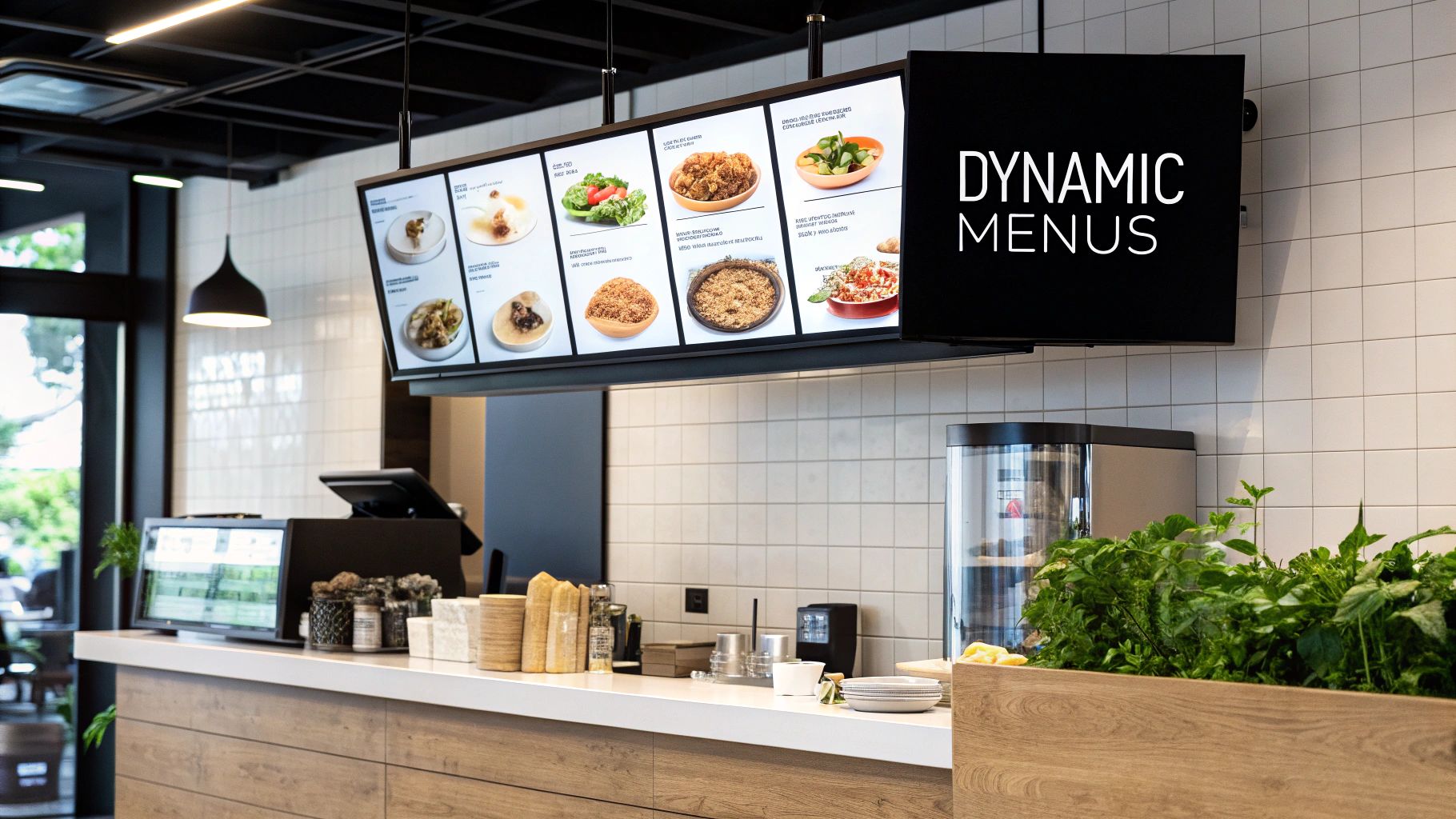
Picking the right hardware for your digital menu displays is a lot like choosing the engine for a car. The physical components you select will directly control the performance, reliability, and visual punch of your menus. Any professional setup boils down to three core pieces: the display screen, the media player, and the mounting system.
Getting these choices right from the start ensures your investment actually pays off. A bright, tough screen will grab customer attention, a solid media player will run your content without glitches, and a secure mount keeps everything safe and perfectly positioned.
Commercial Displays vs. Consumer TVs
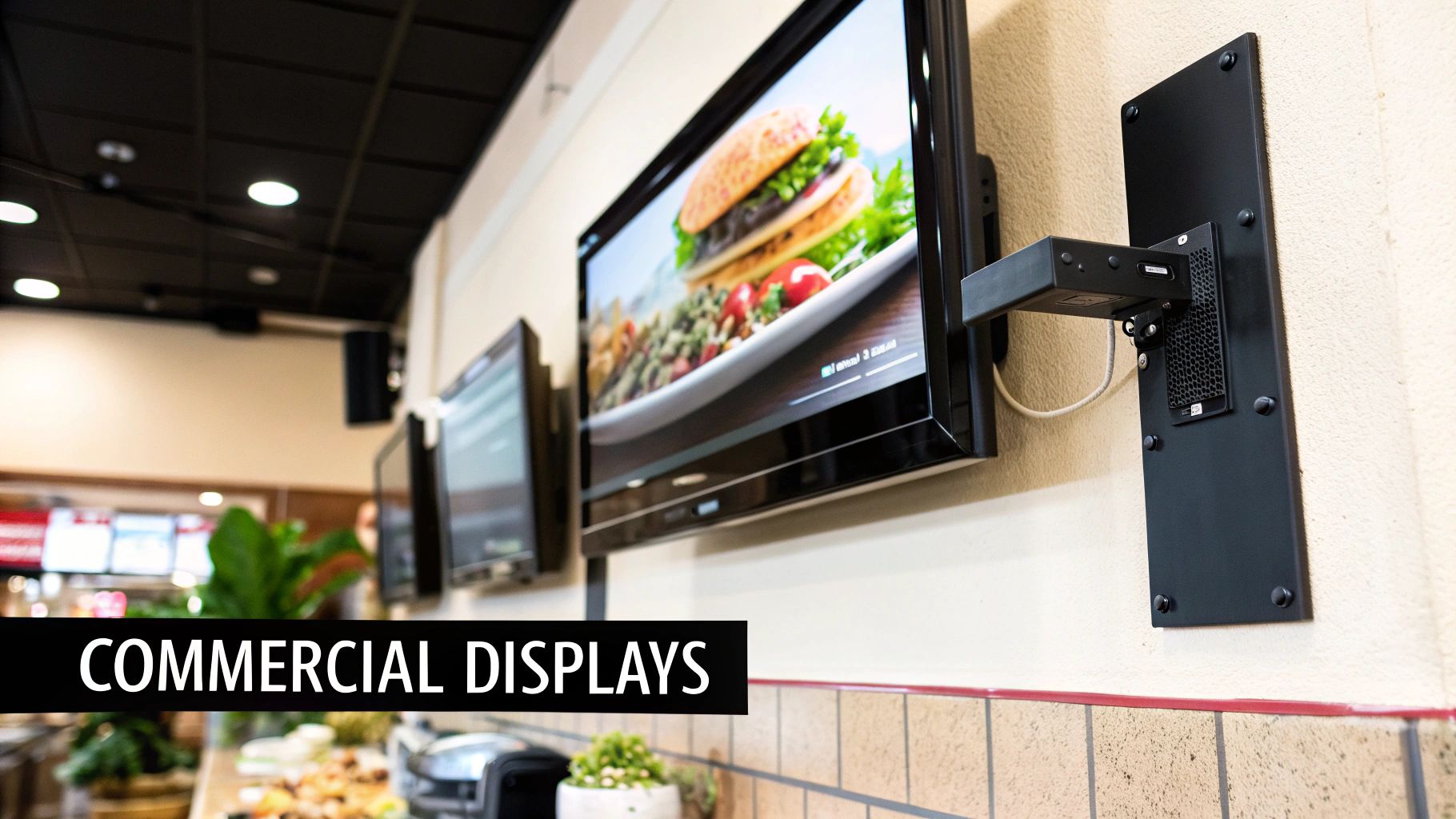
It's always tempting to grab a standard TV from a big-box store to save a few bucks, but this is a classic—and costly—mistake. Commercial-grade displays are built from the ground up for the unique demands of a business.
Think about it:
- Durability and Longevity: These screens are engineered to run 16 to 24 hours a day, seven days a week, without overheating or getting that dreaded image "burn-in." A consumer TV forced into that kind of duty will likely fail fast, and its warranty will be void.
- Superior Brightness: A regular TV puts out about 250-350 nits of brightness. A commercial display starts at 400 nits and can easily climb past 700, making sure your menu is sharp and readable even in a bright cafe or next to a sunny window.
- Better Warranty: Commercial warranties are built for business use, covering you for years and often including on-site service options. Consumer warranties simply don't offer that kind of protection.
The difference is so significant that it's worth a closer look.
Commercial vs. Consumer Displays: A Quick Comparison
| Feature | Commercial Display | Consumer TV |
|---|---|---|
| Operating Hours | Built for 16/7 or 24/7 use | Designed for 4-6 hours per day |
| Brightness | 400-700+ nits (readable in bright light) | 250-350 nits (washes out easily) |
| Warranty | 3-5 years, covers business use | 1 year, voided by commercial use |
| Durability | Metal frame, stronger components | Plastic frame, consumer-grade parts |
| Orientation | Can be mounted portrait or landscape | Landscape only (portrait voids warranty) |
| Burn-In | Built-in prevention technology | High risk with static menu images |
Ultimately, choosing a consumer TV is a short-term saving that leads to long-term headaches.
Investing in a commercial-grade display isn't an upgrade; it's a fundamental requirement for a reliable digital menu system. The upfront cost is higher, but it prevents the much bigger expense of frequent replacements and downtime.
The demand for these powerful displays is surging for a reason. The digital menu boards market is expected to jump from $2.8 billion in 2023 to $6.5 billion by 2033, fueled by better screen technology. DataHorizzon Research has some great insights on this growth.
The Brains of the Operation: The Media Player
The media player is the small, dedicated computer that stores your menu content and pushes it to the screen. It's the device that tells the display what to show and when.
While some "smart" commercial screens come with a built-in player (called a System-on-Chip or SoC), external media players often give you more power and flexibility. An external player simply connects to your screen via HDMI and is controlled by your software. This setup is great because if the player ever fails, you just swap it out—you don't have to replace the whole expensive screen.
For anyone planning to run slick animations or 4K video, a powerful external player is non-negotiable for smooth, lag-free performance.
Mounting and Enclosures
The last piece of the hardware puzzle is how you physically mount your screens. The right mount guarantees the best viewing angles for your customers and, most importantly, keeps everything secure.
For outdoor drive-thru menus or patio displays, a weatherproof enclosure is an absolute must. These heavy-duty cases shield the sensitive electronics from rain, dust, and extreme hot or cold. The framing material is just as critical. For example, the resilience of custom aluminum composite signage makes it a go-to choice for creating sturdy, professional-looking enclosures that protect your investment for years.
Selecting the Best Software to Manage Your Content
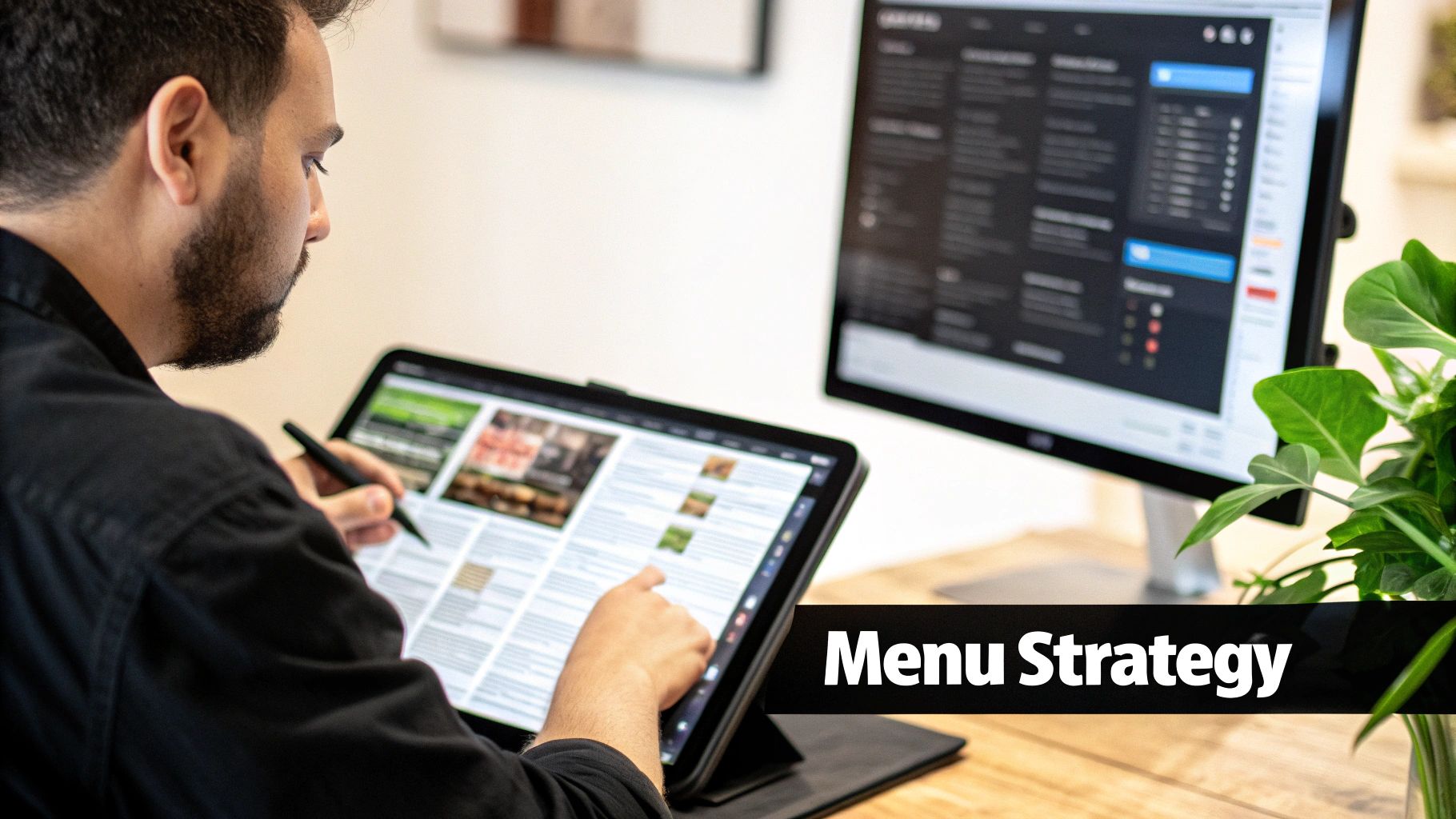
If the screens are the engine for your digital menu displays, then the Content Management Software (CMS) is the driver’s seat. This is the command center where you create, schedule, and push out everything your customers see, from menu items and prices to mouth-watering promotional videos.
Think of it like this: without a good CMS, your digital screens are just fancy photo frames. The right software, however, turns them into a dynamic sales tool that lets you control the entire customer experience without needing a technical background.
The options out there are vast. A small, single-location coffee shop might get by just fine with a simple plug-and-play solution. But a national QSR chain needs a heavy-duty, cloud-based platform to manage hundreds of screens across different time zones. The key is finding a tool that fits how you actually operate.
Core Features That Matter Most
When you start looking at different CMS platforms, a few key functions are non-negotiable. These features are what separate a basic slideshow from a strategic business tool.
- Intuitive User Interface: The software has to be easy for you or your staff to use. You shouldn't need a graphic design degree just to change a price or swap out the daily special. Look for a simple drag-and-drop editor.
- Effortless Scheduling: Being able to schedule content ahead of time is a game-changer. This feature, often called “dayparting,” lets you automatically flip from your breakfast menu to your lunch offerings right at 11 AM without anyone touching a thing. It's also perfect for setting up happy hour promos or weekend-only deals.
- Pre-Built Templates: A good CMS comes loaded with professionally designed templates. These layouts make it incredibly fast to build great-looking menus that are easy to read and visually appealing, keeping your brand looking sharp.
The goal of a great CMS is to make managing your digital menu displays feel as simple as updating a social media profile. It should empower you to make instant changes that directly impact sales and operations.
Choosing the right software is a critical first step. For a deeper dive into the educational side of this technology, feel free to explore our resources on digital signage education.
The Power of Point of Sale Integration
One of the most powerful capabilities you can look for is Point of Sale (POS) integration. This is what connects your digital menu boards directly to your cash register or sales system, creating a perfectly synced operation.
When your CMS talks to your POS, any price update you make at the register is automatically pushed to every menu board. This completely eliminates the risk of pricing mistakes and saves a ton of manual data entry. If you run out of an item, the system can automatically pull it from the screen, preventing customer frustration and helping the kitchen run smoother.
For example, a busy pizzeria can update the price of pepperoni in their POS, and instantly, every menu screen in the restaurant reflects that change. This kind of automation is essential for staying accurate and efficient, especially if you have a large menu that changes often. A solid CMS with POS integration is how you unlock that next level of operational control.
Creating a Menu Content Strategy That Sells
Having the right hardware and software is just the entry ticket. The real game-changer is your content—it's what actually convinces a customer to buy. Think of your digital menu display not as a simple price list, but as your most effective silent salesperson. It’s designed with one purpose: to guide customer choices and bump up your average order value.
This is where the craft of menu engineering comes in, blending the psychology of design with strategic placement to turn passive screens into active revenue streams. The proof is in the numbers. Restaurants that make the switch can see sales jump anywhere from 8% to 37%. The sheer visual power of crisp images, slick videos, and instant price updates on digital menu displays grabs attention and drives those profitable impulse buys.
Mastering Visual Hierarchy and Branding
The first rule of great menu content is to control the customer’s eye. Visual hierarchy is the art of arranging everything on your screen to naturally pull attention toward your most profitable items. You don't want people scanning randomly; you want to take them on a curated visual journey.
Use size, color, and motion to your advantage. Make that high-margin signature burger physically larger than everything else. Maybe add a subtle, glowing animation around the combo deal you’re trying to push. These visual cues are powerful, telling the customer, "Hey, look here. This is the good stuff."
Just as crucial is keeping your branding tight. Your digital menus need to feel like they belong to your brand, not some generic template.
- Consistent Fonts and Colors: Stick to the same typography and color palette you use in your logo, on your website, and throughout your physical space.
- Unified Tone of Voice: Make sure the language in your item descriptions matches your brand’s personality, whether that's fun and quirky or clean and upscale.
This kind of consistency builds trust and makes your whole operation feel more professional and put-together.
Leveraging Dynamic and Timely Content
The true magic of digital screens is their ability to change on a dime. A printed menu is set in stone until you pay for another expensive reprint. Your digital content, on the other hand, can adapt by the minute, hour, or season.
One of the smartest tactics here is dayparting—scheduling different menus for different times of the day. A coffee shop, for example, can have its screens automatically flip from a breakfast menu of espressos and pastries at 10:59 AM to a lunch menu of sandwiches and iced teas at 11:00 AM sharp. This keeps the offerings perfectly relevant to what customers want right now.
Of course, none of this works without amazing visuals.
A static description of a "cheesecake slice" sells a product. A slow-motion video of rich caramel sauce being drizzled over that same cheesecake sells an experience—and it’s the experience people are willing to pay more for.
Invest in crisp, professional food photography and short, appetizing video clips. You’re not just showing food; you’re creating cravings. For more inspiration, check out our guide on compelling business signs ideas that grab attention.
The Psychology of Menu Design
Strategic design can gently nudge customers toward the choices you want them to make. A well-engineered menu doesn't just list items; it frames them to make certain options irresistible. For instance, effective digital menu price list management is about more than just numbers—it’s a core part of a clear, persuasive content strategy.
Consider putting these proven techniques to work:
- Strategic Placement: Humans naturally look to the upper-right corner of a display first. Put your highest-margin items there, and they're guaranteed to get more eyeballs.
- The Decoy Effect: Place a very expensive item at the top of a category. Suddenly, the other profitable—but less expensive—items below it look like a fantastic deal by comparison.
- Suggestive Upselling: Use visual prompts to encourage add-ons. Next to a burger, you could have an animated arrow pointing to a combo upgrade with the text, “Make it a meal for just $3 more!”
Getting Installation and Compliance Right
Turning your concept into a physical reality is about much more than just unboxing screens. The physical setup of your digital menu displays is a serious job that affects everything—safety, performance, and whether you're on the right side of the law. Skipping over this part is a classic recipe for expensive, frustrating mistakes.
The whole process has to start with a thorough site survey. Think of this as the foundation for the entire project. An expert comes out to your location to assess the real-world conditions, checking everything from wall integrity and power source locations to the strength of your internet connection. This step ensures your hardware will have the physical support it needs to work properly from day one.
Why Professional Installation Is a Must
It's tempting to see installation as a place to cut costs with a DIY approach, but that's a gamble you don't want to take. Professional installers are trained to deal with heavy, sensitive commercial-grade hardware, ensuring the job is done safely and correctly.
Here’s what you get when you bring in the pros:
- Safety and Security: Experts know how to securely mount heavy displays to prevent catastrophic accidents. They also handle the wiring properly, eliminating electrical hazards.
- Perfect Viewing Angles: Placement is everything. Installers will position your screens at the ideal height and angle for crystal-clear readability from every customer’s perspective.
- Longer Hardware Life: These screens generate heat. A pro setup guarantees proper ventilation, which is absolutely critical for preventing your investment from overheating and dying an early death.
A poorly installed digital menu display isn't just an eyesore—it's a liability. Professional installation is a one-time investment that protects your equipment, your customers, and your business from a world of headaches.
Navigating Permits and Local Codes
Before you even think about drilling a hole, you have to deal with local regulations. Most towns and cities consider digital menu displays to be business signage, which almost always requires a permit, especially if they’re visible from outside.
The rules can be wildly different from one place to the next, covering everything from screen brightness and size to what kind of content you’re even allowed to show. Ignoring this can lead to stiff fines and even a takedown order. Do your homework. For a deeper dive into this process, our guide on understanding sign permit requirements is a great place to start.
Making Sure You're ADA Compliant
Beyond permits, your digital menus need to be accessible to every customer, including those with disabilities. The Americans with Disabilities Act (ADA) has clear standards to ensure everyone gets equal access.
For digital menus, this usually comes down to:
- Screen Height: Displays, especially interactive ones, have to be mounted low enough for someone in a wheelchair to easily see and use them.
- Text and Contrast: Your menu text needs to be big enough for people with visual impairments to read, with strong contrast between the words and the background.
When you nail the installation and compliance from the very beginning, you’re setting your digital menu system up to run smoothly, safely, and legally for years to come.
Calculating Your Return on Investment
Putting money into digital menu displays is a serious move, and you need to know exactly how it will pay off. This is about more than just a modern facelift; it's a strategic investment designed to pay for itself. To figure out your potential Return on Investment (ROI), you have to look past the initial price tag and start measuring the real money the system brings in and saves.
First, you’ll tally up the total upfront cost. That means everything—the commercial-grade screens, the media players, your content management software (CMS) subscription, and the professional installation. Once you have that number, you can track how the benefits chip away at it.
Identifying Key Revenue Drivers
The quickest returns almost always come from a jump in sales. Digital menus are persuasive tools that influence what customers buy right at the moment of decision.
- Increased Average Ticket Size: Dynamic visuals make upselling feel natural, not pushy. A simple, eye-catching animation suggesting a customer "make it a combo" with a drink and fries can easily lift the average check value. It’s no surprise that visual content is a key factor in 93% of purchasing decisions—a well-timed suggestion works.
- Highlighting High-Margin Items: You have total control over what your customers see first. By giving your most profitable items the best real estate on screen—like the top-right corner—you can gently guide people toward choices that fatten your bottom line.
- Promotional Lift: Need to drive traffic during a slow afternoon? Running a flash sale or a limited-time offer for a new item is as simple as a few clicks. The power to deploy promotions instantly helps you boost sales when you need it most, all without spending a dime on extra marketing.
Think of your digital menu as a silent salesperson that never takes a break. It's constantly working to showcase your best offers, encourage upgrades, and create a more compelling sales pitch than a static menu ever could.
This direct impact on sales is where the ROI starts to become crystal clear. Even a small, steady bump in the average order value adds up to a huge amount over the course of a year.
Calculating Long-Term Savings
Beyond making you more money, digital menu displays save you a surprising amount in operational costs. These ongoing savings are a huge piece of the ROI puzzle because they improve your bottom line month after month, year after year.
The most obvious win is kissing printing costs goodbye. No more paying for redesigns, reprints, and shipping every time a price changes or a seasonal special comes and goes. That alone can put hundreds or even thousands of dollars back into a restaurant's pocket annually.
Then there are the labor savings. Having a staff member manually update static menu boards or chalk signs is time they could be spending with customers. With a cloud-based CMS, a manager can update every screen in every location from one laptop in minutes. That efficiency isn't just convenient—it's a real, measurable financial gain.
A Framework for Estimating Your ROI
To get a solid idea of your potential return, you can use a simple framework to track the "before and after." Just measure the changes in key areas once your digital menu displays are up and running.
Here’s a simplified way to look at it:
Sample ROI Calculation Framework
| Metric | Estimated Monthly Change | Financial Impact |
|---|---|---|
| Average Order Value | +$0.75 per order | (Increase x Total Orders) |
| High-Margin Item Sales | +15% increase | (Additional Profit) |
| Printing Costs | -$150 per month | (Direct Savings) |
| Labor for Updates | -5 hours per month | (Hourly Wage x Hours Saved) |
By tracking numbers like these, you build a powerful business case. To really dig into the details, a good restaurant profit margin calculator can show you exactly how these small improvements boost overall profitability. This data-driven approach shifts the conversation from treating digital menus as an expense to seeing them for what they are: a smart, strategic investment in your future.
Common Questions About Digital Menu Displays
Jumping into the world of digital menu displays always brings up a few practical questions. It's smart to think about the cost, how they work day-to-day, and if they're really built to last. Let's clear up the most common questions so you can feel confident about your decision.
How Much Do Digital Menu Displays Typically Cost?
There's no single price tag, as the cost really depends on how big you want to go. Think of it in terms of scale. A small, independent coffee shop might just need a single screen. For that, you’re likely looking at a starting investment in the $1,500 to $2,500 range, which covers a commercial-grade display and the basic software to run it.
On the other hand, a busy quick-service restaurant needing a whole wall of synced screens, advanced software, and a professional crew to install it could invest anywhere from $5,000 to over $20,000. The final cost really comes down to the details—screen size, brightness levels, and how complex the software and installation are.
Can I Update the Menus Myself?
Yes, absolutely. This is one of the biggest reasons business owners make the switch. Gone are the days of calling a technician just to change the price of a latte.
Modern systems are designed for you to be in the driver's seat. They run on cloud-based software, meaning you or your manager can log in from any computer and make changes on the fly. You can add a new special, 86 an item, or update pricing in minutes. Most use simple drag-and-drop templates, so if you can use a computer, you can manage your menu. No tech wizardry required.
The whole point of modern digital menu software is to give you direct control. It’s built to be a sales tool you can manage yourself without hitting a technical roadblock. That's the agility you need to react to a busy lunch rush or a slow Tuesday afternoon.
What Is the Main Difference Between Indoor and Outdoor Displays?
While they might look similar from a distance, they're two completely different beasts. An outdoor display is basically armored. It's built like a tank to handle whatever nature throws at it—pouring rain, dust storms, and brutal summer heat or winter freezes. Crucially, they are incredibly bright, with high "nit" ratings that cut through direct sunlight so customers can actually read them.
Indoor screens are built for a controlled environment. Their brightness is perfectly tuned for indoor lighting, but they have zero defense against moisture or extreme temperatures. Putting an indoor screen outside is a guaranteed way to see it fail quickly, and it'll definitely void the warranty.
How Long Do Commercial Digital Displays Last?
This is where investing in a commercial-grade screen really pays off. These displays are engineered for the grind of being on all day, every day in a business environment—not just for watching a movie on a Friday night.
A good commercial screen is rated for 50,000 to 70,000 hours of runtime. Even if you left it on 24/7, that’s about six to eight years of solid performance. Compare that to a consumer TV from a big-box store, which is only designed for a few hours of use a day and would burn out in a fraction of the time under the same workload.
Ready to transform your customer experience with stunning, effective digital menu displays? The team at On Display Signs, Inc. manages every step of the process, from design and fabrication to professional installation and ongoing support, ensuring your brand stands out. https://www.ondisplaysigns.com