A lot of sign shops hit the same ceiling before they realize it. The artwork is approved, the install date is close, and the production floor is still losing time to hand trimming, repeat cuts, or outside vendors who don’t move at your pace. That’s where margins start to leak. Not because demand is weak, but because production control is weak.
A commercial plotter fixes that problem when it’s chosen and used correctly. It gives you a clean bridge between design and fabrication, which matters when you’re producing window graphics, interior branding, ADA elements, retail signage, and multi-location rollouts that need to look consistent from one site to the next.
Your Sign Shop's Next Leap in Production
You don’t buy vinyl plotter machines because they look impressive on the floor. You buy them because bottlenecks are expensive.
A common shop scenario goes like this. The team can design quickly, print quickly, and install well, but cut work drags. Detailed lettering takes too long. Repeats aren’t consistent enough. Outsourced cut graphics come back on someone else’s schedule. That means your install crew waits, your project manager updates clients more often than they should, and your profit shrinks one delay at a time.
That’s why a plotter belongs in the commercial conversation. It isn’t hobby gear. It’s a production tool that helps you bring more of the job in-house, control quality, and stop treating cut vinyl as a side process.
The business case is getting stronger, not weaker. The global vinyl cutter market was valued at USD 1.2 billion in 2023 and is projected to reach USD 2.1 billion by 2032, reflecting rising demand for customized signage across retail, advertising, and commercial work, as noted in market outlook for vinyl cutter demand.
Where shops usually feel the pain first
The first warning sign usually isn’t machine failure. It’s workflow strain.
- Rush work gets messy because production depends on manual trimming or an outside supplier.
- Small revisions become expensive since one client change can force another ordering cycle.
- Repeatability slips when two operators cut the same design by hand and get slightly different results.
- Material use gets harder to control because jobs aren’t nested and cut as efficiently as they could be.
Practical rule: If your team can sell custom graphics faster than it can cut and finish them, your shop already needs a better cutting workflow.
Commercial operators also need to think past the machine itself. Software compatibility, workflow handoff, and floor layout all matter. If you’re reviewing broader latest industry updates for 2026, it’s clear that production technology is moving toward tighter integration, not isolated equipment decisions.
A plotter fits best when it’s part of a larger sign-making system. If you want a useful refresher on the full path from concept to finished sign, this practical guide on how a sign gets made gives good context for where cutting affects schedule, quality, and rework.
How a Vinyl Plotter Works in Sign Production
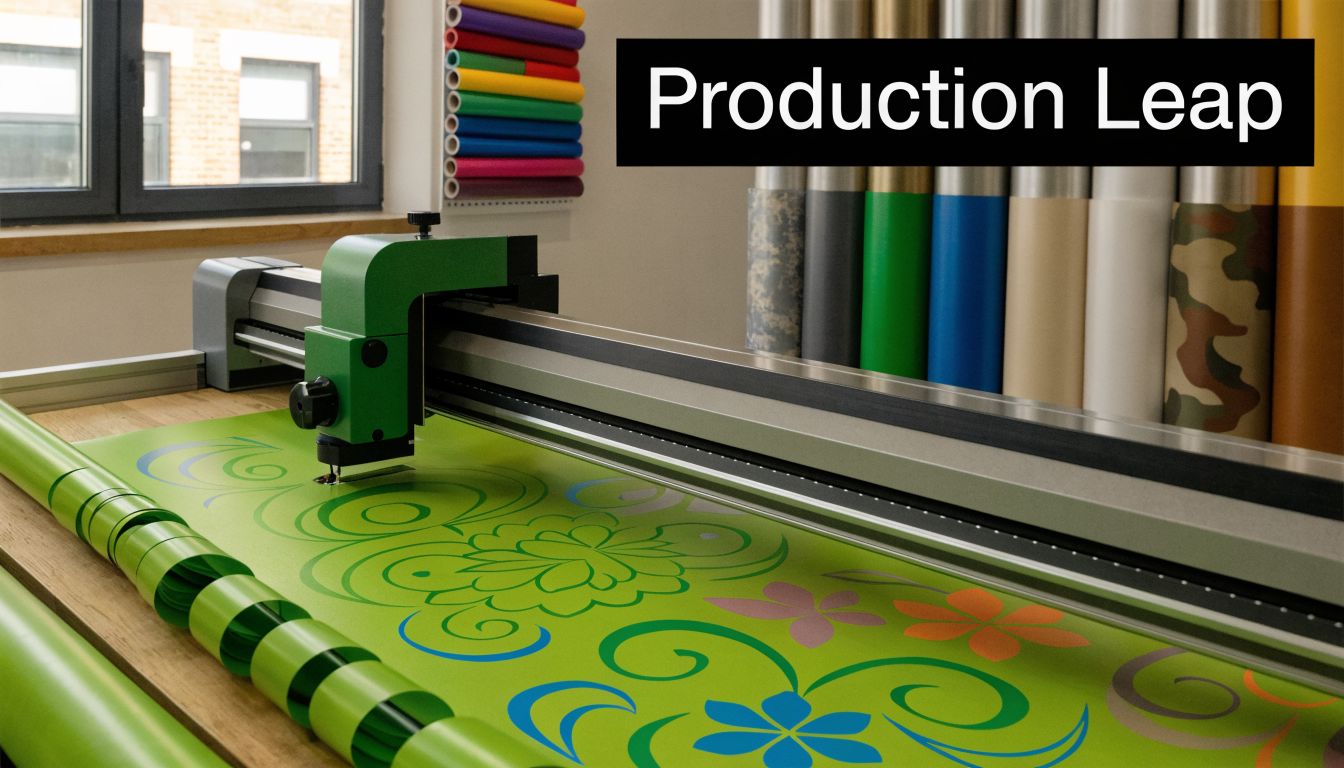
A vinyl plotter is a computer-controlled cutting machine. The easiest way to think about it is this. It acts like a digital precision knife that follows vector paths instead of freehand motion.
That distinction matters. A plotter doesn’t “see” artwork the way a person does. It follows coordinates. If the file is clean, the cut can be clean. If the file is poorly built, the machine will reproduce those problems with impressive accuracy.
From artwork to finished cut
In a sign shop, the process usually starts with a vector file built in software such as Adobe Illustrator or CorelDRAW. The operator sends that file to cutting software, which translates lines, curves, and shapes into movements the machine can follow.
The machine then does two things at once. It feeds the vinyl forward and backward through pinch rollers while the cutting head moves side to side. Those two motions combine to trace letters, logos, shapes, and contour paths.
That’s why good setup matters. The blade isn’t carving like a router. It’s scoring and cutting with controlled pressure while the media moves underneath it.
What the machine is actually doing
A commercial plotter is managing several tasks in one pass:
- Holding media squarely so the roll tracks straight.
- Applying consistent pressure so the vinyl is cut without damaging the liner.
- Following vector paths with enough accuracy to preserve corners, curves, and detail.
- Repeating the path reliably if you need duplicate graphics or multi-panel runs.
A plotter is only as good as the file, the setup, and the operator. Shops that ignore any one of those three usually blame the machine for problems they created upstream.
The technology didn’t appear out of nowhere. Modern commercial cutting standards grew from earlier plotting systems. The 1960s CalComp 565 drum plotter handled 120-foot paper rolls at 0.0125mm resolution, setting an early benchmark for precision that still informs commercial sign fabrication today, according to historical plotter development notes.
Why sign shops rely on vector accuracy
Raster images are fine for printing. Cutting is different. The blade needs a defined path.
That’s why operators should clean artwork before sending it to the machine. Extra points, duplicated lines, poor outlines, and broken curves all create avoidable issues. On simple jobs, those issues slow weeding. On detailed work, they can ruin output.
A useful overview of the category is this page on what a vinyl plotter is and how shops use one. It aligns with what matters on the floor. Plotters aren’t just for producing shapes. They’re part of a repeatable commercial production method.
The output isn’t finished when the machine stops
New operators often think cutting is the final step. It isn’t.
After the cut, your team still has to weed excess vinyl, apply transfer tape when needed, organize panels, label sets for install, and protect finished pieces from contamination or damage. That means the plotter’s real value isn’t just the cut line. It’s the consistency it brings to everything that happens after the cut.
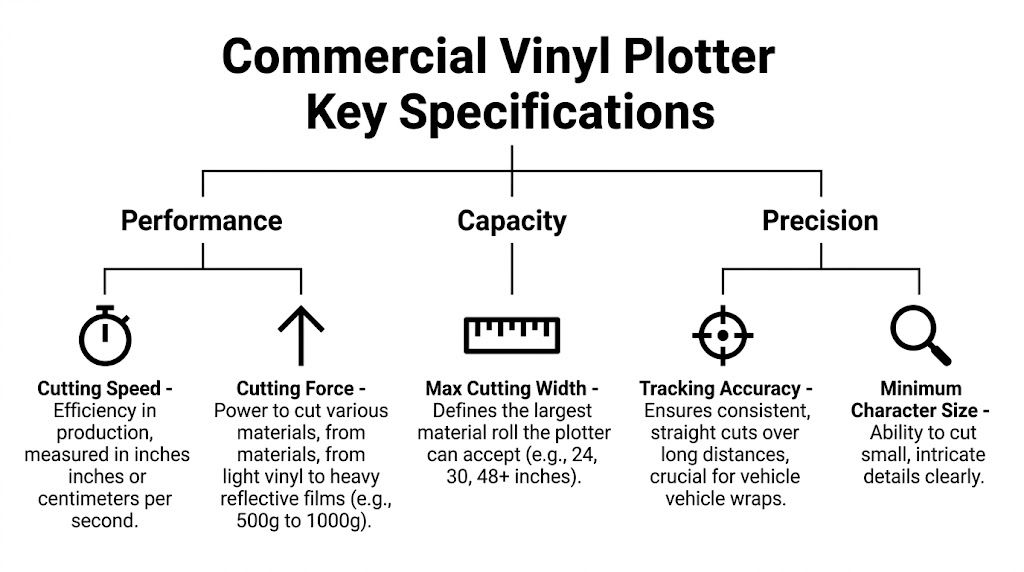
Key Specifications for a Commercial Vinyl Plotter
Spec sheets can be misleading if you read them like marketing material. For commercial sign work, a few specifications matter far more than the rest. The right machine isn’t the one with the longest feature list. It’s the one that matches your production mix without slowing your team down.
Cutting width and pressure
If your shop handles commercial signage, don’t start with the smallest machine you can afford. Start with the work you need to produce.
For commercial signage, specialists recommend a cutting width over 30 inches and adjustable pressure up to 500g, a setup that supports larger rolls and thicker materials while improving throughput on high-volume work, according to commercial cutter specification guidance.
Here’s what that means in practice:
- Wider cutting area helps you run larger media without segmenting designs into too many pieces.
- Adequate pressure range gives you room to work across standard sign vinyl, heavier films, and specialty materials.
- Less job splitting means fewer seams, fewer alignment headaches, and less handling time at install.
A narrow cutter can still produce sellable work. It just makes too many jobs harder than they need to be.
Tracking matters more than most buyers think
A plotter can have solid speed and pressure numbers and still disappoint if it can’t track cleanly over long runs. Tracking is what keeps the media feeding straight. Once that slips, long graphics start skewing, registration drifts, and material gets wasted.
This is one of the biggest differences between entry-grade equipment and a real commercial workhorse. On paper, many machines look close. On the production floor, straight tracking over time is where the stronger machine separates itself.
Shop-floor reality: A machine that cuts beautifully for short decals can still be the wrong machine for production signage if it can’t hold alignment on longer runs.
Blade system and cut quality
Blade performance isn’t just about sharpness. It’s also about how the machine manages turns, detail, and material resistance.
Commercial buyers should pay attention to:
- Blade type. Rotary and drag systems behave differently on curves and layered materials.
- Pressure control. Fine adjustment helps you avoid undercutting and overcutting.
- Repeatability. If the machine can’t return to the same path consistently, repeated jobs become unreliable.
This is especially important when you’re handling small copy, interior branding details, or code-related signage where clean edges matter.
Registration and contour cutting
If your shop pairs printing with cutting, registration capability belongs high on the list. Automatic aligning systems let the machine read printed marks and contour-cut around the image. That changes labor, accuracy, and output consistency.
For shops doing print-and-cut production, registration features affect:
| Spec area | Why it matters in production | What to look for |
|---|---|---|
| Registration system | Aligns cuts to printed graphics | Reliable mark detection and stable repeat performance |
| Media handling | Prevents drift during contour jobs | Firm pinch roller grip and consistent feed |
| Software support | Reduces setup friction | Compatibility with common design and production workflows |
| Memory and job handling | Helps on repeat runs | Smooth processing of recurring production files |
A plotter is rarely the only device involved. It sits inside a larger output chain that often includes design software, print production, finishing, and installation planning. Shops working across banners, graphics, boards, and printed displays should also understand how large-format printing fits into commercial sign production, because many profitable jobs involve both print and cut operations.
Don’t let one spec make the decision
Buyers often fixate on speed because it’s easy to compare. That’s a mistake.
Fast output is useful only if the cuts stay clean, the media tracks straight, and the file workflow is stable. In a commercial shop, the best machine is the one that reduces touch time, protects material, and keeps rework low. A slightly slower, more stable cutter usually beats a faster machine that creates cleanup problems all week.
Choosing the Right Plotter for Your Sign Business
The right plotter depends on what your shop sells repeatedly, not what looked good in a demo. If most of your work is short-run window graphics, interior signage, and smaller branded elements, you need a different machine than a team handling national rollouts or high-mix production all day.
A lot of bad purchases come from two mistakes. Shops either under-buy and outgrow the machine almost immediately, or they overspend on capacity they won’t use consistently. Both decisions hurt.
Commercial Vinyl Plotter Tiers
| Plotter Tier | Ideal For | Common Materials | Key Feature |
|---|---|---|---|
| Entry-level commercial | Small sign shops bringing basic cut work in-house | Standard sign vinyl, heat-transfer vinyl, paper-backed films | Simple operation and lower barrier to entry |
| High-production roll-fed | Busy commercial shops with daily cutting volume | Cast and calendared vinyl, reflective films, printed contour-cut media | Better tracking, stronger software integration, faster repeat work |
| Industrial flatbed or specialty system | Operations handling rigid or specialized workflows alongside standard output | Heavier specialty media, layered materials, precision-cut sheet goods | Broader material handling and advanced automation |
That table isn’t about brand prestige. It’s about matching the machine to your order pattern.
Match the purchase to your actual workload
If your team mostly cuts straightforward graphics a few times a week, an entry-level commercial unit may be enough. If you’re processing multiple jobs daily and operators are juggling production while installers are waiting on output, you’ll usually benefit from stepping up to a higher-production machine.
Here’s the practical filter I’d use.
- Volume first. Count how often the cutter will run in a normal week, not your busiest week.
- Material range second. Shops that cut only standard films have different needs than shops working across specialty substrates.
- Operator skill third. A more capable machine still needs an operator who can set it correctly.
- Growth path last. Buy for the work you can reasonably win in the near term, not the fantasy version of your shop.
Questions worth asking a vendor
A vendor presentation can hide the most important operational details. Ask questions that affect downtime, training, and everyday use.
What does support look like after install
You want to know who answers setup questions, who handles calibration issues, and how fast help is available when the machine is sitting idle.How does the software fit your existing design workflow
Compatibility problems waste more time than most buyers expect. Ask how the machine receives files, how jobs are queued, and whether your current design team will need extra conversion steps.What training is included
Some machines are easy to start and hard to master. Basic setup training isn’t enough if your team will run contour jobs, repeat production, or varied materials.What wear items should you stock
Blades, strips, and media-handling parts shouldn’t be an afterthought. If the machine needs a part and you don’t have it, that “good deal” gets expensive.
Buy the machine your production manager wants to live with for years, not the machine your sales rep wants to close this week.
What works and what doesn’t
What works
- Choosing a machine around repeatable daily jobs
- Leaving room for broader material handling
- Testing file flow before purchase
- Confirming service and parts access
What doesn’t
- Buying based on top speed alone
- Assuming every contour system performs the same
- Ignoring floor space and media handling
- Treating operator training like an optional extra
A good plotter purchase feels boring after the excitement wears off. That’s a compliment. It means the machine is doing its job without forcing constant workarounds.
Integrating a Plotter into Your Sign Shop Workflow
A new machine doesn’t improve production on its own. The gains show up when the plotter is tied into software, material handling, job prep, and operator habits from day one.
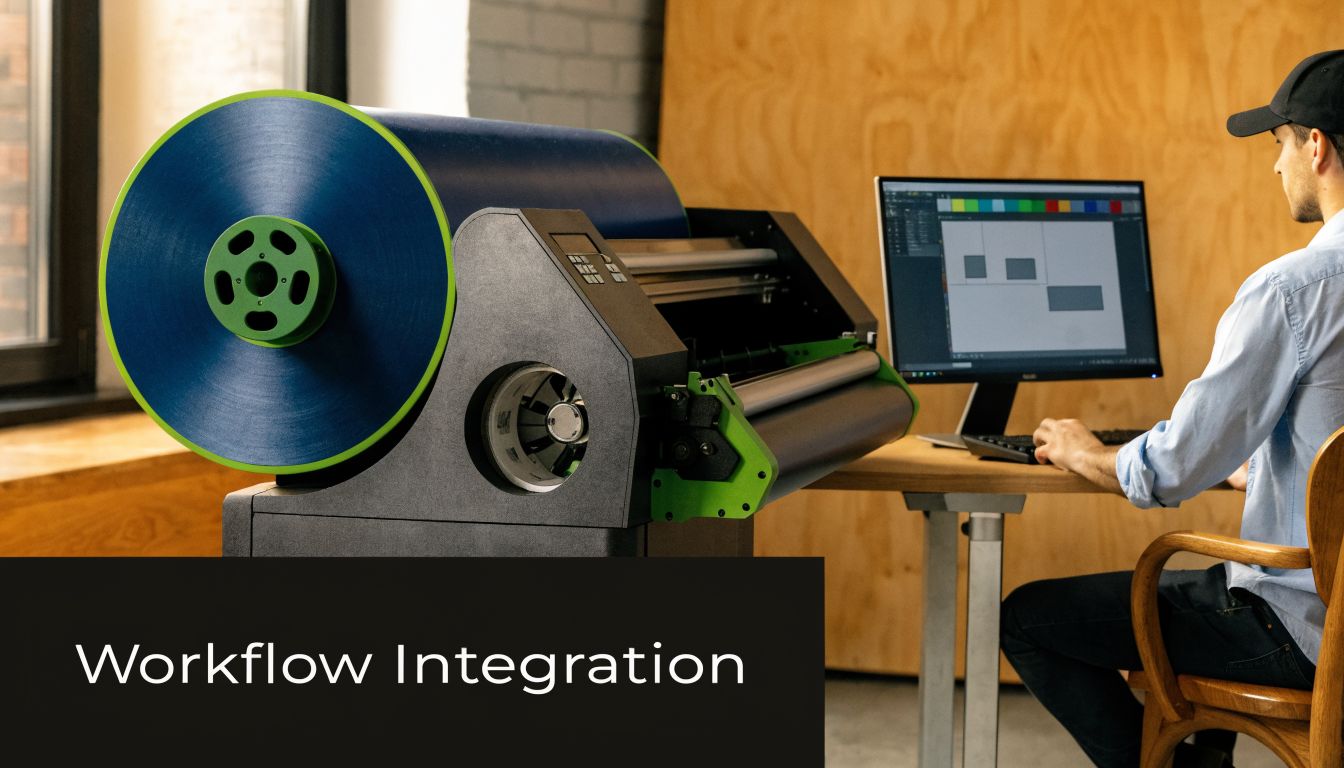
The shops that get quick value from vinyl plotter machines usually make three decisions early. They define who owns file prep, where the machine sits in the production path, and how operators are trained to run repeatable test cuts before touching live jobs.
Software has to reduce friction
Your plotter should fit the way your design team already works. If every job requires awkward exporting, manual cleanup, or repeated corrections at the cutter station, you haven’t improved workflow. You’ve just moved the bottleneck.
That’s why cutting software matters almost as much as the hardware. Nesting, contour setup, job presets, and cleaner handoff from design to production all save time. Shops thinking more broadly about production efficiency can also look at how workflow automation supports repeatable operations across quoting, approvals, scheduling, and output.
Set the machine where work can actually flow
I’ve seen solid machines underperform because they were placed wherever there was an empty wall. That creates avoidable handling problems.
A better layout includes:
- Feed room in front and behind so long runs don’t drag or skew.
- Nearby staging space for loaded rolls, weeded graphics, and finished sets.
- Dust control around cut output, especially before masking or packaging.
- Access for maintenance so blade changes and strip checks aren’t awkward.
If your shop handles multi-step jobs across design, fabrication, installation, and client communication, this is really part of broader signage project management discipline. The cutter shouldn’t sit outside that system.
Train operators on repeatable basics
Most plotter problems come from setup inconsistency, not exotic machine defects. Operators need a standard routine.
Use a short checklist:
- Load media squarely and confirm roller placement before every run.
- Set blade depth conservatively so the machine cuts the vinyl, not into the liner.
- Run a test cut first when switching materials or blades.
- Label approved presets for materials your shop uses often.
That training effort pays off because it reduces guessing.
This walkthrough is worth watching if your team wants a visual reference for day-to-day cutter operation and setup:
Keep the first month boring
That’s the goal. Don’t chase every advanced feature in week one. Start with standard materials, simple jobs, and documented presets. Once the team has stable habits, then expand into more complex contour work or specialty media.
A plotter becomes productive when operators trust the output. Trust comes from consistent setup, not from running the most difficult job on the first afternoon.
Maintenance and Best Practices for Peak Performance
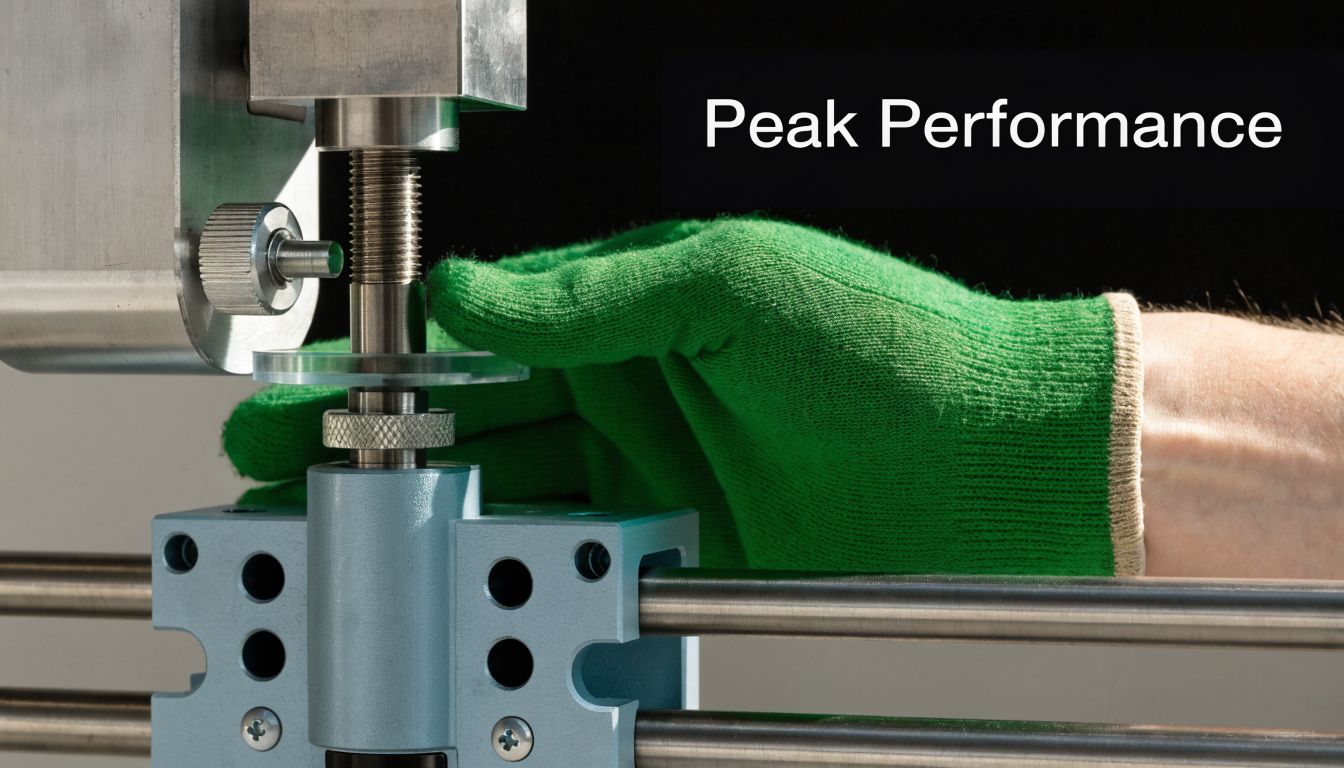
Maintenance on vinyl plotter machines isn’t housekeeping. It’s profit protection. Small issues in blades, strips, and rollers show up fast as wasted vinyl, failed details, and reruns that eat time you can’t bill twice.
Poor maintenance has direct consequences. A worn Teflon cutting strip can increase uneven cuts by up to 60%, and incorrect blade offset settings can drive 30% material waste on fine-detail jobs, according to plotter maintenance guidance focused on strip wear and cut quality.
Blade angle and offset need to match the job
Operators often talk about blade sharpness and ignore blade geometry. That’s a mistake.
Different blade angles suit different materials and detail levels. The key is matching the angle and offset to what you’re cutting, then confirming the corners and curves with a test cut. If the offset is wrong, letters can show tails, rounded corners, or tiny hooks at the end of strokes.
Consider this from a practical angle:
- 30° blades suit finer, lighter films where delicate detail matters.
- 45° blades are the general-purpose option for everyday sign vinyl.
- 60° blades are better for thicker or more demanding materials.
The blade offset setting matters because it tells the machine how far behind the pivot point the blade tip sits. Get that wrong and the corners won’t close correctly.
Check corners before you check pressure. Many cut problems that look like force issues are really offset issues.
Inspect the Teflon strip before it becomes a scrap generator
The cutting strip doesn’t get much attention until cuts start going bad. By then, you’ve already lost material.
Run your finger lightly along the strip and feel for ridges, dents, or adhesive buildup. Look for recurring cut defects in the same area of the machine. If the same section keeps failing, stop blaming the file and inspect the strip.
Basic strip care should include:
- Visual inspection at the start of the week.
- Spot-checking for bumps or grooves after heavy production.
- Cleaning residue carefully so the blade path stays consistent.
- Replacing worn strips early instead of pushing them too long.
Roller alignment decides whether long cuts stay straight
Pinch rollers and friction rollers do quiet but critical work. If they aren’t aligned correctly on the media, the roll won’t track consistently. That creates drift, especially on longer jobs.
Signs of roller-related problems include skewing, repeated misalignment on long runs, and inconsistent tension across the width of the material.
Use this quick operator routine:
- Place rollers in approved zones based on the machine’s guide marks.
- Keep outer rollers close to the media edges without hanging off.
- Verify even pressure before sending a longer job.
- Watch the first section of travel instead of walking away immediately.
Treat maintenance as a production discipline
The best shops don’t leave cutter upkeep to whoever notices a problem first. They assign responsibility, document presets, and create a short maintenance rhythm tied to production volume.
That discipline matters most on jobs with small copy, repeated logos, and detailed interior graphics where even minor inconsistency shows up immediately in weeding and install. A plotter that’s calibrated, clean, and checked routinely saves more money than a “faster” machine that’s allowed to drift out of tune.
The Business Case for Your Plotter Investment
A professional plotter earns its place when it changes how your shop works. That’s the key return. Faster output helps, but the bigger value usually comes from tighter schedule control, more consistent quality, and the ability to keep profitable cut work in-house.
This shows up across the whole production cycle. Design hands off more cleanly. Operators spend less time improvising. Install dates become easier to protect because your shop controls one more critical step instead of waiting on an outside source.
Where the return actually comes from
High-end plotters can deliver ROI in 6 to 12 months, can enable workflows that are twice as fast as manual die-cutting, and can reduce manual alignment time by 70% on print-and-cut jobs, according to commercial plotter ROI and workflow performance data.
Those numbers matter, but only if your shop uses the machine as part of a disciplined process. The biggest gains usually come from a combination of factors:
- More work handled internally instead of outsourced
- Cleaner repeatability across locations and reorders
- Less rework caused by manual trimming or inconsistent setup
- Better labor use because skilled staff spend more time producing and less time correcting
Better control usually means better margins
If you’ve ever had an install date slip because one cut component wasn’t ready, you already know the operational value of keeping production closer to home. A plotter gives you a chance to shorten that dependency chain.
It also broadens what your team can confidently sell. Interior branding packages, safety signage, window graphics, stencils, cut lettering, and mixed print-and-cut work become easier to schedule when the cutter is already integrated into your workflow.
A practical budgeting exercise is to compare the machine cost against current outsourcing, labor friction, and avoidable reruns. This reference on the cost of signage for business projects is useful when you’re trying to understand how production choices affect final pricing and profitability.
The best plotter purchase doesn’t just cut vinyl better. It lets your shop say yes to the right work with less hesitation.
Shops don’t grow by collecting equipment. They grow by removing constraints. If cut production is one of your constraints, a well-chosen plotter can become one of the most practical investments on your floor.
If you’re planning a signage upgrade, expanding production capacity, or need a national partner that can handle design, fabrication, permitting, installation, and maintenance, On Display Signs, Inc. can help you scope the right solution for your business and your rollout schedule.