Imagine your menu board wasn't just a static list, but a living, breathing part of your business—changing specials with the lunch rush, promoting high-profit items with mouth-watering videos, and never needing a reprint. That’s the practical reality of digital menu screens, and it's why they’re quickly replacing old-school static signs in businesses everywhere.
Why Digital Menu Screens Are No Longer an Option, But a Necessity
For any serious modern business, switching to digital menu screens isn't just a cosmetic upgrade; it's a strategic move for better efficiency and a stronger brand. Printed signs are a constant cycle of manual updates, printing costs, and shipping delays. Digital displays wipe that slate clean.
With digital, you get instant control. You can change prices, react to low inventory, or launch a flash sale with just a few clicks. A restaurant manager can update prices across a dozen locations from a single laptop, cutting out the time, cost, and headache of physically swapping out printed menus. It’s a massive operational win.
Driving Sales and Improving the Customer Experience
The visual power of digital menu screens directly impacts what your customers buy. A crisp, vibrant video of your signature dish is infinitely more compelling than a line of text. It's no surprise that restaurants making the switch often report a store sales bump of 2-5%.
For example, a bakery can showcase a looping video of a warm, gooey cinnamon roll being iced right as customers walk in during the morning rush. This simple visual is far more effective at selling a high-margin treat than a text description on a chalkboard. By strategically showcasing these items, you can guide customers toward more profitable choices.
This dynamic approach also makes for a much smoother customer experience. The benefits are real and measurable:
- Shorter-Feeling Wait Times: Engaging content keeps customers occupied and can make a long line feel shorter, boosting overall satisfaction by as much as 15%.
- Crystal-Clear Communication: Digital screens ensure your menu is always easy to read and prices are up-to-date, preventing customer frustration and ordering mistakes.
- On-the-Fly Promotions: Running daily specials or limited-time offers becomes effortless, creating a sense of urgency that drives impulse buys.
At the end of the day, this isn't about looking modern for the sake of it. It’s a practical step toward building a smarter, more profitable operation. You can learn more about how digital signage in restaurants is fundamentally changing the game.
How Digital Menu Screens Actually Work
Think of a static menu like a printed photograph—it's fixed, it gets outdated, and changing it is a costly hassle. A digital menu screen, on the other hand, is a live video stream you can control from anywhere, anytime.
Once you understand how the pieces fit together, you'll see it’s much more than a TV on a wall. It’s a powerful system designed for instant updates and serious commercial performance.
The Three Core Components of Digital Menus
Every digital menu system boils down to three key parts working in harmony: the screen itself, a media player, and the software that runs the show. Each has a specific job, but they operate as a single unit to bring your menu to life.
- The Commercial-Grade Display: This is the workhorse. Unlike the TV in your living room, a commercial screen is engineered to run 16-24 hours a day without breaking a sweat. It’s brighter, tougher, and built for the rigors of a public space, ensuring your menu always looks sharp and inviting.
- The Media Player: This is the brain of the operation. It's a small but mighty computer that processes your content—videos, images, text—and pushes it to the display. While some newer smart screens have media players built-in, external players often deliver more horsepower for more complex or demanding content.
- The Content Management Software (CMS): This is your command center. Using a cloud-based dashboard, you can build, schedule, and send content to one screen or a hundred from any device with an internet connection. This is where the magic happens—updating prices, swapping out promotions, or scheduling your breakfast, lunch, and dinner menus with a few clicks.
This setup isn't just a trend; it's a fundamental shift, particularly for restaurants. Quick-service restaurants (QSRs) drive over 75% of the market, which is on track to jump from $2.6 billion in 2022 to $3.9 billion by 2028. It makes sense when you consider that 73% of customers find digital screens make ordering easier than squinting at a faded, hard-to-read paper menu.
How It All Works Together in Practice
Let’s say you want to roll out a new seasonal special across five of your locations. With a traditional menu, you’d be dealing with designers, printers, and shipping costs. With a digital system, the whole process is ridiculously simple.
- You log into your CMS from your laptop.
- You drop in a new photo, add the price, and update the description in your lunch menu template.
- You schedule the change to go live tomorrow on all five screens, running only during lunch hours from 11 AM to 2 PM.
With a single click, the CMS sends that command over the internet to the media player in each restaurant. That player downloads the new content and, right on schedule at 11 AM, instructs the commercial display to show the updated menu. This gives you incredible agility and control.
To get a better handle on the nuts and bolts, our complete digital signage education hub is a great place to start.
Static Menus vs Digital Menu Screens
The practical differences between sticking with print and making the switch to digital are night and day. Here's a quick breakdown:
| Feature | Static Printed Menu | Digital Menu Screen |
|---|---|---|
| Updating Content | Slow and expensive; requires redesign, reprinting, and physical replacement. | Instant and remote; changes are made in minutes from any computer. |
| Promotions | Limited to what's printed. "Limited time" offers require new print runs. | Dynamic and scheduled; run daily specials, upsells, or countdowns easily. |
| Visual Appeal | Can fade, get damaged, or look outdated. Limited to static images. | Bright, vibrant, and eye-catching with support for video and animations. |
| Dayparting | Impossible. Requires separate physical menus for breakfast, lunch, and dinner. | Effortless; automatically switches menus based on the time of day. |
| Initial Cost | Low per-unit cost for printing, but design fees can be high. | Higher upfront hardware investment. |
| Long-Term Cost | Recurring costs for every single change, big or small. | Minimal ongoing software fees; eliminates all printing and shipping costs. |
| Customer Experience | Can be hard to read in poor lighting; clutter can cause confusion. | Clear and legible; highlights key items to speed up ordering decisions. |
| Operational Efficiency | Manual process; requires staff to physically swap out menus or inserts. | Fully automated; frees up staff to focus on customers. |
In short, while static menus might seem cheaper at first glance, their limitations create ongoing costs and operational headaches that digital menus completely solve.
This diagram shows just how these benefits branch out to boost sales, streamline your operations, and create a better experience for every customer who walks through your door.
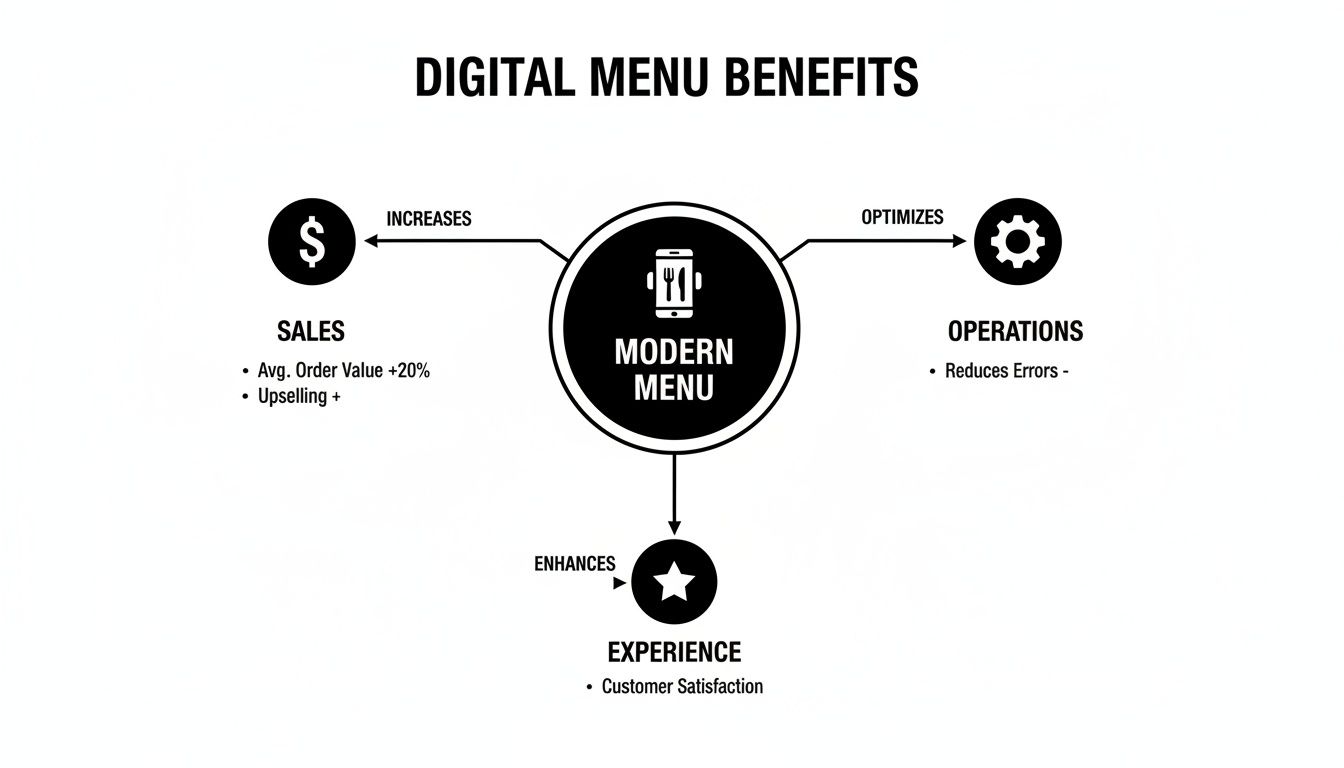
It’s clear that this technology isn't just about showing a menu—it's a central tool for driving real, measurable results for your business.
Choosing the Right Hardware and Software for Your Business
Getting the tech right for your digital menu screens might seem daunting, but it really comes down to two things: the physical screens your customers see and the smart software you control behind the scenes. Nail these choices, and you've got a reliable, effective system that's built to last.
On the hardware side, the first big decision is the display itself. While a consumer TV looks tempting on a price tag, it’s not built for the job. Commercial-grade displays are engineered to run for 16 hours or more per day, giving you the durability and lifespan a business environment demands.
Understanding Display Hardware Essentials
When you're looking at screens, you'll run into two main technologies: LCD and LED. LCDs are fantastic for most indoor settings like restaurants and shops, delivering sharp, crisp images. But if you’re dealing with a bright, sunlit space or an outdoor drive-thru, LED is the clear winner with its superior brightness.
Screen brightness is measured in nits. Your TV at home probably puts out 250-350 nits, which is fine in a dim living room but gets completely washed out in a bright commercial space. For indoor menus, you need at least 400-500 nits. For any screen facing a window or placed outdoors, you'll need 700 nits or higher to cut through the glare and stay readable. This is an actionable detail; choosing the wrong brightness means customers can't read your menu, defeating the entire purpose.
Don't forget connectivity. This is the lifeline between your software and your screens. Make sure your media players work with your network, whether that’s a rock-solid hardwired Ethernet connection or a dependable Wi-Fi setup.
Demystifying Content Management Software
Think of the software—the Content Management System (CMS)—as the brain of the operation. A good CMS turns a simple monitor into a powerful, centralized marketing machine. It's where you'll upload photos, update prices, and schedule everything to run automatically.
A modern, cloud-based CMS is non-negotiable. It lets you manage the menus for one location or a hundred from any computer with an internet connection. Gone are the days of driving to a store to plug in a USB stick. Now, updates are instant and remote.
A practical example of a good CMS feature is "dayparting"—which automatically flips from your breakfast menu to your lunch menu at a set time. This saves your team time and ensures you're always showing the right offer at the right time. For a cafe, this means breakfast sandwich promotions disappear at 11 AM sharp, replaced instantly by lunch combos.
When you're talking to vendors, you need to get past the sales pitch and ask practical questions. The answers will tell you if their system can actually handle the day-to-day realities of your business.
Practical Checklist for Vendor Questions
Before you sign any contract, arm yourself with this list of questions. It will help you focus on the functions that truly matter.
- Content Scheduling: Can I schedule promotions for weekends only? Does it support dayparting for breakfast, lunch, and dinner menus?
- Multi-Location Management: How simple is it to manage content across all my stores? Can I push one update to every location at once?
- User Friendliness: Is the interface easy to learn? Can my manager make a quick price change without needing a training manual?
- Connectivity Requirements: What exactly does your system need from my network to run without glitches?
- System Alerts: Will I get a notification if a screen goes offline or a media player dies?
- Integration: Can the software talk to my Point of Sale (POS) system? This is key for things like real-time "86'd" item updates.
Asking these questions ensures you’re not just buying a screen, but a complete solution that makes your business run smoother and delivers a real return.
Creating a Content Strategy That Boosts Sales
Stop thinking of your digital menu screens as a high-tech price list. They’re your best silent salespeople, working around the clock to guide customer choices, push profitable items, and turn your displays into a revenue-generating machine.
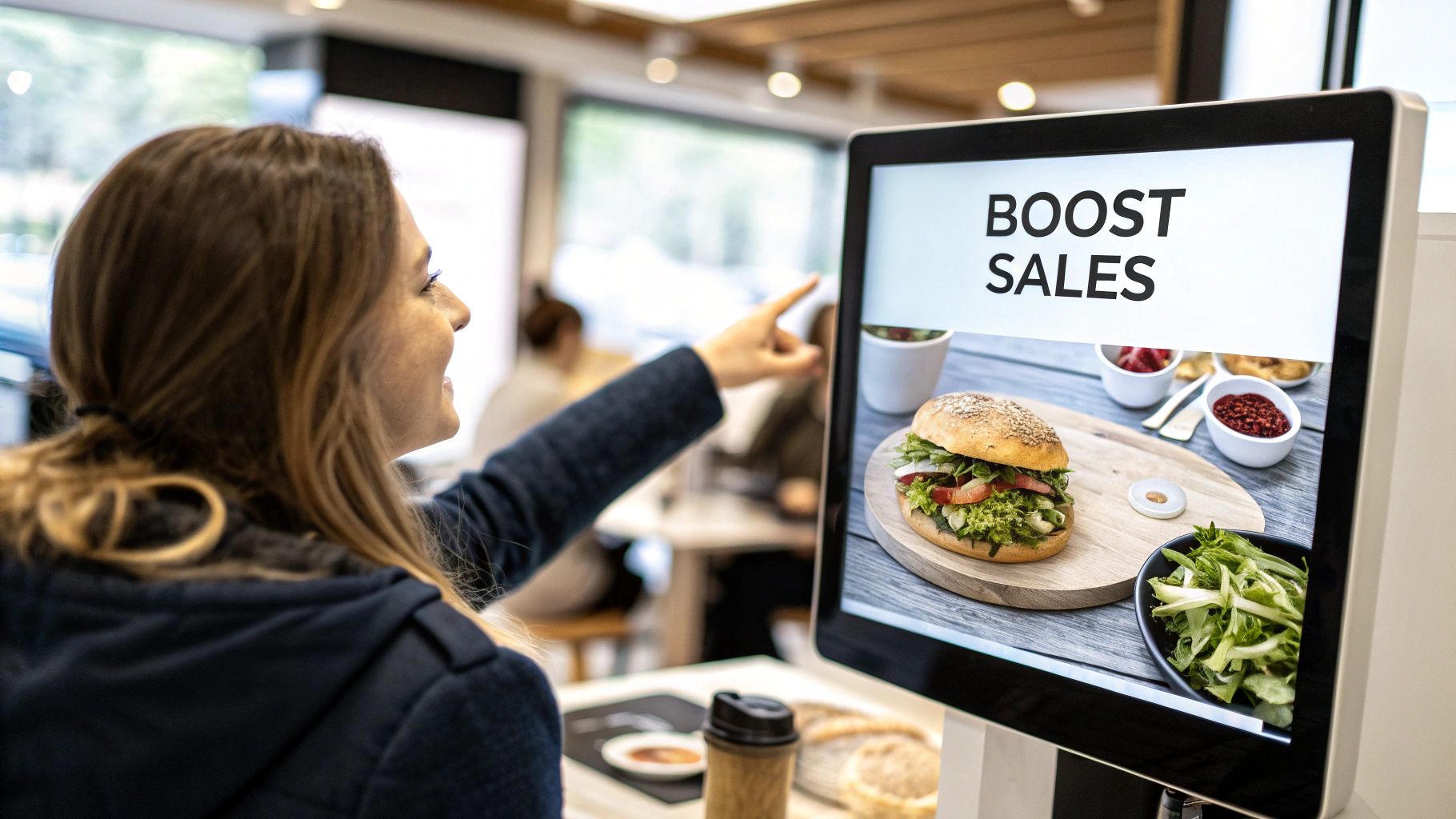
The secret is to move beyond static information and start thinking like a marketer. Your content needs to be dynamic and visually stunning, built to influence buying decisions at the exact moment they’re being made.
Master the Art of Dayparting
One of the smartest and simplest strategies is dayparting—automatically switching up your menu based on the time of day. This guarantees your offerings are always relevant, showing hungry customers exactly what they’re craving, right when they crave it.
Think about it. Your screens seamlessly flip from morning coffee and breakfast deals to a lunchtime lineup of hearty combos and salads. Come evening, the menu shifts again to highlight dinner specials and desserts. This isn't just convenient; it's incredibly profitable.
A practical example: a pizza parlor can use dayparting to promote lunch slices from 11 AM to 2 PM, then automatically switch to highlighting full-family meal deals from 4 PM onwards to capture the dinner crowd. This hands-off approach ensures you never miss a chance to sell the perfect item for that time of day.
The impact of showing the right menu at the right time is huge. Dayparting alone can drive revenue increases of up to 22% for quick-service restaurants.
Use Visuals to Make Items Irresistible
Let's be honest—people eat with their eyes first. A sizzling video of cheese pulling from a pizza slice or steam curling off a fresh coffee is infinitely more persuasive than a text description ever could be. High-quality visuals are your secret weapon for selling high-margin items.
In fact, 73% of customers say digital boards make ordering easier, and limited-time offers sell 38% better when you add a little urgency with things like countdown timers.
Here’s how to put this into action right away:
- Spotlight Your Moneymakers: Put your most profitable items in the prime real estate on your screen—usually the top-right or center, where eyes land first. Use subtle animations or crisp video to make them impossible to ignore.
- Create Killer Combos: Bundle a high-margin side or drink with a popular entree. Show the complete meal visually, making the combo feel like a natural, value-packed choice.
- Push Profitable Add-Ons: Suggest small upgrades that have big margins. For a coffee shop, that could be a simple prompt next to the lattes: "Add a shot of espresso for just $0.75!"
When you're shopping for software, look for platforms with robust digital menu price list functionality that makes these kinds of on-the-fly updates a breeze. For some creative fuel, check out our guide on effective sign design ideas that you can easily adapt for digital screens.
Create Urgency with Dynamic Promotions
A static menu can't create a sense of urgency, but a digital one does it brilliantly. With dynamic content, you can run promotions that encourage customers to act now, which is perfect for boosting impulse buys and clearing out inventory.
Try these simple but powerful tactics:
- Countdown Timers: Feature a "Lunch Special" with a visible clock counting down until the deal is gone. That ticking clock is a powerful psychological trigger that pushes people to decide quickly.
- Limited-Time Offers: Use bold graphics to announce a "Dessert of the Week" or a seasonal special that’s "only here 'til Sunday." The fear of missing out (FOMO) is a real and powerful motivator.
- Flash Sales: Run a "Happy Hour" promotion that automatically pops up on screen from 4 PM to 6 PM. It’s a great way to pull in customers during those traditionally slower periods.
By combining dayparting, stunning visuals, and dynamic promotions, you’ll transform your digital menu from a passive list into an active, essential part of your sales process.
How to Calculate Your Return on Investment
Think of your digital menu screens not as a cool tech upgrade, but as a business investment that needs to pull its weight. While the upfront cost is what everyone focuses on, the real story is how quickly these systems pay for themselves—and then start making you money.
To figure that out, you have to look past the initial price tag and calculate your return on investment (ROI). That starts with understanding the Total Cost of Ownership (TCO), which is every single dollar tied to the system over its entire life. It’s a lot more than just the screens.
Breaking Down the Initial Investment
Your total cost is a sum of a few key parts. Getting a handle on these numbers now helps you budget properly and avoid any nasty surprises later.
- Hardware Costs: This is the obvious one—the commercial-grade displays, media players, and all the mounting gear needed to get them on the wall.
- Software Licensing: Most content management systems run on a subscription, usually a monthly or annual fee for each screen. This keeps the software up-to-date and gives you access to support when you need it.
- Installation Fees: Don't skimp here. Professional installation is a one-time cost that ensures everything is safe, secure, and looks clean. It’s critical for getting it right from day one.
- Content Creation: You’ll likely have some initial design costs to get your menu templates and promotional graphics built, especially if you bring in a professional designer to nail your brand's look.
Once you have a firm grip on your total investment, the next step is to pinpoint where the money is going to come back from. This is where digital menus really prove their worth.
Identifying Your Key Revenue Streams
The ROI from digital menus comes from two places: making more money and spending less. It’s this one-two punch that turns the technology into a profit-generating machine. You’ll see the biggest returns from bigger tickets, more sales of high-margin items, and some serious operational savings.
A common mistake is seeing digital menus as just a fancy replacement for printed signs. That's shortsighted. They are active sales tools that directly influence customer decisions right at the point of purchase.
The proof is in the numbers. Digital menu screens are known to bump up the average order value by $1.70 to $3.20 per transaction in quick-service restaurants. At the same time, overall sales per customer jump by 3-5% simply because you can strategically highlight your most profitable items. You can see more data on how digital signage boosts restaurant profits and completely changes the game.
A Sample ROI Calculation for a Small Cafe
Let's walk through a quick example to see how the math plays out. You can plug in your own numbers here to get a realistic idea of how fast this investment can pay for itself.
This table breaks down a hypothetical but very realistic scenario, showing how a cafe can not only cover its costs but turn a profit in the first year.
| Metric | Calculation Example | Annual Impact |
|---|---|---|
| Increased Average Ticket | $1.50 increase x 100 transactions/day x 360 days | +$54,000 |
| Promoted Item Sales | 10 extra high-margin items sold/day @ $4 profit x 360 days | +$14,400 |
| Printing Cost Savings | $250 per menu update x 6 updates/year | +$1,500 |
| Labor Savings | 2 hours/month saved on manual updates @ $20/hour x 12 months | +$480 |
| Total Annual Gain | Sum of all positive impacts | $70,380 |
Let's say the total upfront cost for the entire system was $15,000. In this scenario, the business doesn't just break even; it generates a massive profit within the first year. This simple calculation shifts your perspective from seeing digital menus as an expense to recognizing them for what they are: a powerful, measurable investment in your business's growth.
Navigating Installation Permits and Ongoing Maintenance
Getting your digital menu screens delivered is a huge milestone, but the work isn’t quite done. The final steps—proper installation and a smart upkeep plan—are what will protect your investment and keep the system running smoothly for years. Skimping here can turn a powerful new asset into a persistent headache.
This is one area where professional installation is absolutely non-negotiable. While the temptation to DIY might seem like a smart way to cut costs, it’s a gamble that rarely pays off. Experts don’t just hang a screen on the wall; they ensure it's mounted securely to meet safety codes, optimize viewing angles for customers, and manage all the cabling for a clean look that reinforces your brand’s professionalism.
Securing Local Permits and Ensuring Compliance
Here’s a step that trips up countless businesses: navigating local sign ordinances and building codes. Just about every town or city has rules governing the size, brightness, and placement of digital displays. Flying blind on this can lead to hefty fines or, even worse, an order to take down the very screens you just installed.
A professional signage partner takes this entire headache off your plate. They know the local regulations inside and out, handle the paperwork, and manage the submissions. For anyone planning a complex, multi-site rollout, working with a team skilled in signage project management is the only way to ensure every single location gets up and running without a compliance nightmare.
Best Practices for Ongoing Screen Maintenance
Once your screens are live, a simple maintenance routine is all it takes to keep them in peak condition. Think of it like any other critical piece of equipment in your business—a little proactive care goes a very long way.
Actionable Insight: Don't treat maintenance as a chore, but as insurance for your investment. A well-maintained screen continues to be a powerful sales tool. Set a recurring monthly calendar reminder for your staff to perform a quick "Screen Health Check," which includes cleaning, checking connections, and confirming the software is up-to-date.
Just follow these simple best practices:
- Regular Cleaning: A gentle wipe with a microfiber cloth keeps dust and smudges from dulling your vibrant menu. You want your food to look crisp and appetizing, not blurry.
- Keep Software Updated: Don't ignore those update notifications for your Content Management System (CMS). They often contain crucial security patches, bug fixes, and new features that keep things running right.
- Monitor Performance: Get in the habit of checking your displays to make sure they're online and working as expected. Many modern CMS platforms have remote monitoring tools that will alert you to any problems automatically.
- Check Connections: Every few months, take a quick peek at the power and data cables to make sure everything is plugged in securely and there's no visible wear and tear.
To truly protect your hardware for the long haul, it helps to understand the difference between proactive and reactive care. Getting familiar with Preventive and Corrective Maintenance will help you build a smarter care plan. Ultimately, a solid service agreement with your vendor that covers tech support and hardware warranties offers the best peace of mind, ensuring an expert is just a phone call away.
Common Questions About Digital Menu Screens
Anytime you bring new technology into your business, questions are going to come up. When it comes to digital menu screens, most owners have the same core concerns: ease of use, durability, and of course, the cost. Let's tackle the big ones head-on.
How Hard Is It to Update My Digital Menu?
This is one of the biggest myths, and the answer is surprisingly simple: it’s incredibly easy. Think of it less like complicated hardware and more like updating a social media profile. Modern systems use cloud-based software, so you can log into a simple dashboard from any computer and make changes in real time.
For example, if your fresh fish delivery is late, you can temporarily hide the "Catch of the Day" special from the menu in seconds, preventing customer disappointment. Once the delivery arrives, you can make it visible again with a single click.
Are Digital Screens Tough Enough for a Commercial Setting?
Absolutely, but with one huge caveat: you need to use commercial-grade displays. A standard TV you'd buy at a big-box store is not built for this kind of work and will burn out quickly in a business environment. It’s just not the right tool for the job.
Commercial screens are engineered to run 16 to 24 hours a day. They're built with superior cooling systems to prevent overheating, tougher components to handle the wear and tear of a public space, and much higher brightness levels (measured in nits) to stay sharp and readable in a brightly lit restaurant. That upfront investment in quality gear is what ensures they work reliably for years.
What’s the Typical Cost for a Digital Menu Setup?
There's no one-size-fits-all answer here, as the cost depends entirely on your vision. The final price tag is a mix of the number of screens, their size, whether they need to be weatherproofed for outdoor use, and the software subscription you choose.
A simple indoor setup for a small coffee shop might start in the low thousands. In contrast, a complex, multi-screen outdoor system for a busy drive-thru is a much bigger project. A proper quote should always break down the cost of the displays, media players, software, and professional installation. The best first step is always to get a detailed estimate based on exactly what your space needs.
Can Businesses Other Than Restaurants Use These Screens?
Without a doubt. While restaurants get most of the attention, any business that needs to communicate information that changes is a perfect fit. The flexibility of digital menu screens makes them a powerful tool for almost any industry.
Here are some practical examples:
- Retail Stores: Pushing flash sales, showing off new arrivals, or running special promotions.
- Auto Service Centers: Displaying service packages and real-time repair statuses for waiting customers.
- Corporate Lobbies: Sharing company announcements, daily event schedules, or welcoming important visitors.
- Gyms and Fitness Centers: Listing class schedules, promoting personal training deals, and announcing facility updates.
If your business relies on sharing dynamic information clearly, digital screens are one of the most effective ways to do it.
Ready to transform your customer experience and boost your sales? The team at On Display Signs, Inc. provides end-to-end solutions for digital menu screens, from design and permitting to installation and maintenance. Contact us today for a personalized consultation.