A lot of menu board projects start the same way. The business is busy, the product is good, and the board on the wall is causing friction. Customers lean forward to read it. Staff repeat prices all day. Specials stay up too long because nobody wants to reprint panels again. In a church café, volunteers tape over old items. In a warehouse break room, the board that should show meal options or shift notices ends up looking like an afterthought.
That’s usually when a buyer realizes a custom menu board isn’t just a finishing touch. It’s part of traffic flow, speed of service, compliance, and brand presentation. If it’s hard to read, mounted poorly, too dim, or impossible to update, the problem shows up at the register and in daily operations.
Why Your Menu Board Is More Than a Price List
A weak menu board creates visible problems. Lines slow down. Customers ask basic questions. Staff fill in the gaps. The sales impact isn't abstract. It happens one delayed order and one missed add-on at a time.

The strongest boards do three jobs at once. They organize choices, reinforce the brand, and make the order feel simple. That matters in a coffee shop, but it also matters in places people don't usually think about first, like school concession areas, church cafés, and employee food counters inside industrial facilities.
Where businesses usually feel the pain
Most owners don't call because they suddenly became interested in signage theory. They call because something is off.
- Slow ordering: Customers can't scan the board fast enough to decide.
- Messy updates: Prices and seasonal items change, but the display doesn't.
- Brand mismatch: The menu looks cheaper than the space around it.
- Operational drag: Staff spend time explaining what the board should already communicate.
A menu board also affects what customers buy. The broader digital category keeps growing because operators are using displays as a business tool, not just wall décor. The global digital menu board market was valued at $2.4 billion in 2024 and is forecasted to reach $7.9 billion by 2033, at a projected CAGR of 14.1%, according to USSI Global's digital menu board market data.
A board should support the menu strategy
A menu board won't fix weak pricing or a confusing product mix by itself. It will, however, expose both. If you're still refining what belongs on the board, this guide on building a profitable coffee menu is a useful companion because it forces the same practical questions a sign planner asks. What needs top billing, what causes hesitation, and what should be grouped to make ordering faster.
A good custom menu board doesn't make people work to buy from you.
The right board becomes part of the sales system. It helps a quick-service counter move faster. It helps a retail snack area present offers clearly. It helps a church or school post information without creating clutter. That’s why the planning stage matters so much. The type of board, the materials, the mounting method, and the compliance details all shape whether the final product helps or hurts the operation.
Exploring Your Custom Menu Board Options
Not every custom menu board solves the same problem. Some are built for stable pricing and long-term durability. Others are built for frequent updates, dayparting, or mixed-use spaces where menu content shares the wall with announcements, promotions, or safety messaging.
Static boards for stable menus
A static menu board makes sense when your menu doesn't change often and you want a clean, durable display with minimal technical upkeep. Cafés, bakeries, snack bars, church counters, and school concessions often do well with this format.
Common static formats include:
- Printed panel systems: Best when the layout stays consistent and branding matters.
- Replaceable insert boards: Useful if a few items change seasonally.
- Write-on surfaces: Fine for daily specials, but they depend on neat handwriting and disciplined updates.
Static boards are often the simplest answer when the buyer needs reliability more than flexibility.
Digital boards for constant change
A digital menu board is the better fit when pricing, availability, dayparts, or promotions shift regularly. Quick-service restaurants use digital heavily, but the same logic applies in other environments.
Practical non-restaurant examples include:
- Manufacturing break rooms: Meal offerings, notices, and shift-related messaging can rotate on schedule.
- Warehouse cafés: Operators can switch between breakfast, lunch, and late-shift content without swapping panels.
- Church gathering spaces: Screens can display café menus during service windows, then switch to event messaging.
Digital only works well when the hardware and infrastructure are planned correctly. A bright screen with poor placement still fails. A good software setup with weak wiring still causes headaches.
Illuminated boards for visibility and finish
An illuminated menu board is usually chosen for appearance and visibility. These boards work well in bars, food halls, upscale counters, and branded retail interiors where the display itself is part of the look.
The trade-off is physical depth. Some backlit designs look sharp in renderings but create mounting and accessibility problems in practice. That issue becomes more serious in narrow walkways or customer-facing corridors.
If the board looks impressive in a showroom but creates a projection problem on site, it's the wrong board for that wall.
Hybrid systems for mixed-use spaces
A hybrid menu board combines static panels with digital screens. This is one of the most practical choices for buyers who need some content locked in and some content changeable.
For example, a warehouse food counter might keep permanent category headers in static panels while rotating specials, safety reminders, or shift-specific notices on screens. A church café can do the same thing with fixed branding and digital announcements.
That flexibility is one reason hybrids keep getting attention. Hybrid menu boards are increasingly preferred by commercial developers, with 42% citing their versatility, as noted by Howard Company's overview of indoor menu boards. The same source also notes a common failure point in non-restaurant spaces: projects run into trouble when electrical infrastructure and rugged mounting for around-the-clock use aren't planned early.
If you're reviewing formats and examples before narrowing your direction, this roundup of custom menu displays is useful for spotting how different environments handle layout and presentation.
Match the board to the operating reality
The wrong question is, "What's the most modern option?" The right question is, "How often does this content change, who has to update it, and what kind of environment is this board going into?"
Use that filter:
- Choose static when durability and simplicity matter most.
- Choose digital when frequent updates are part of daily operations.
- Choose illuminated when presentation and visibility are central.
- Choose hybrid when one board has to do more than one job.
Deciding Between Static and Digital Menu Boards
This decision usually comes down to how the board will be used after install day. Not what looks nicer in a mockup. Not what another business bought. What matters is how often the content changes, who maintains it, and what failure will cost you more.
Static wins on simplicity
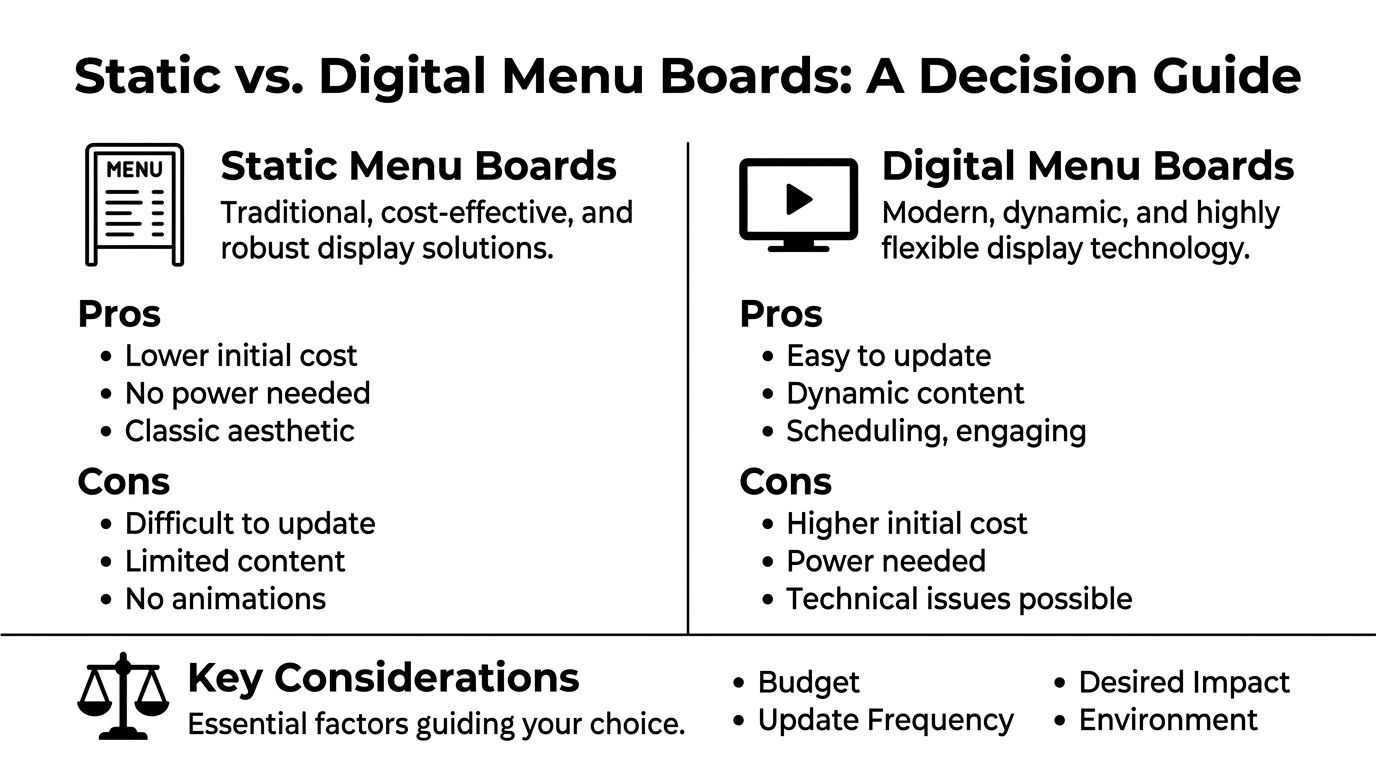
Static boards are still the right answer in plenty of projects. They have fewer points of failure, no software to manage, and no power requirement. If a menu is stable and the space doesn't need constant promotional rotation, static can be the smarter buy.
They're especially practical when:
- Your pricing changes rarely
- The staff doesn't need training on updates
- The environment is straightforward and low-tech
- You want a permanent branded display
The downside is obvious. Every meaningful change takes time, labor, or reprints. If products rotate often, static becomes a maintenance issue disguised as a lower-cost option.
Digital wins on flexibility
Digital boards earn their keep when updates happen often enough that static starts wasting time. If you change breakfast to lunch, remove out-of-stock items, or run timed promotions, digital is easier to manage.
That’s the core reason many operators move to digital menu boards. The value isn't just motion on a screen. It's faster control over the content people see when they're ready to buy.
Static vs. Digital Menu Boards A Head-to-Head Comparison
| Factor | Static Menu Boards | Digital Menu Boards |
|---|---|---|
| Upfront investment | Lower initial cost | Higher initial cost |
| Power requirement | None | Required |
| Content changes | Manual and slower | Fast and easy to update |
| Visual impact | Clean and classic | Dynamic and more attention-grabbing |
| Daily operations | Best for stable menus | Best for changing menus and scheduling |
| Maintenance style | Physical wear, replacement over time | Hardware, software, and connectivity upkeep |
| Best fit | Cafés, churches, simple counters, fixed menus | QSRs, multi-daypart operations, promotional environments |
What works and what doesn't
A few patterns show up repeatedly in the field.
What works:
- Static in low-change environments
- Digital where managers use scheduling and updates
- Simple layouts in either format
- Commercial-grade planning, not consumer-grade improvisation
What doesn't:
- Buying digital without assigning who updates it
- Using static where menu changes are frequent
- Cramming too many items onto either format
- Treating screen purchase as the whole project
Buyers often overspend on display format and underspend on planning. Planning is what keeps the board useful six months later.
The right decision isn't ideological. If a church café changes a few seasonal items each quarter, static may be perfect. If a warehouse canteen serves multiple shifts and adjusts offerings through the day, digital or hybrid usually makes more operational sense.
Selecting Materials for Long-Lasting Menu Boards
Material choice isn't cosmetic. It determines whether the board stays flat, stays readable, and survives the environment it lives in. A board that looks good in a conference room sample can fail quickly once it's mounted near humidity, heat, cleaning chemicals, or direct light.
Static board materials
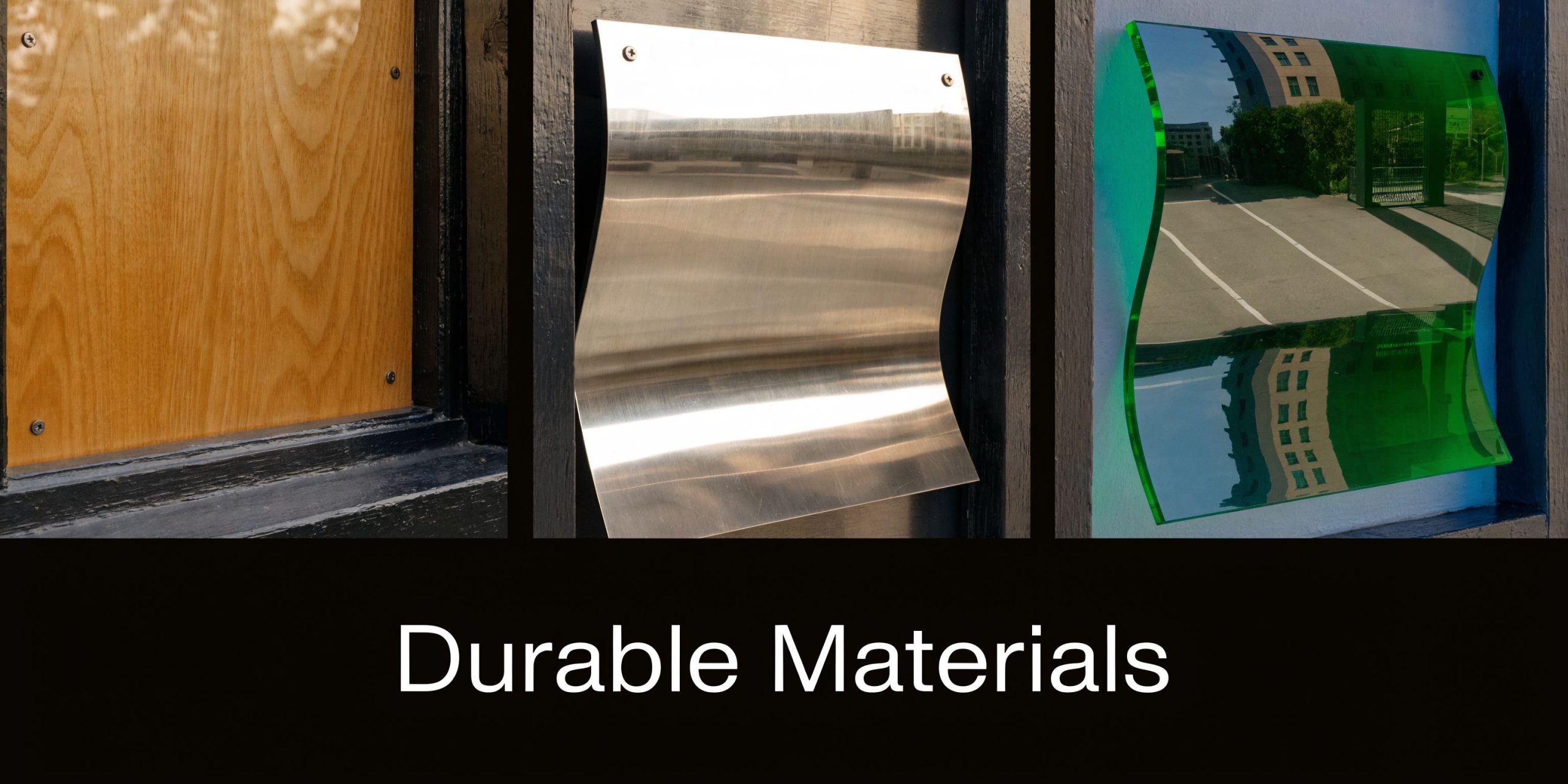
For printed boards, substrate matters more than many buyers expect. The cheapest panel often becomes the most expensive once it warps, dents, or has to be replaced early.
A practical material breakdown looks like this:
- ACM: Strong choice for demanding environments and long-term installations.
- PVC: Can work in lighter-duty situations, but it isn't my first choice where humidity or rigidity matters.
- Acrylic: Clean, polished appearance. Better when the design intent is premium interior presentation.
- Foam-based boards: Fine for short-term or lower-stakes indoor use, but not for hard service conditions.
A useful benchmark from VistaPrint's menu board material guide is that aluminum composite material (ACM) can reduce warping by up to 70% in humid conditions compared to PVC. That's exactly why ACM is often the safer call for busy food environments, entry-adjacent spaces, or any location where conditions aren't perfectly controlled.
If you're comparing substrates in more detail, this overview of sign boards materials is worth reviewing before you approve production.
Digital hardware specs that matter
On digital projects, buyers often focus on screen size first. Brightness is usually the bigger issue. If the panel can't overcome ambient light, the content won't read well enough to matter.
The same VistaPrint source notes that a minimum brightness of 700 nits is essential for indoor use, and that improper brightness can cause a 40% loss in visibility. That’s not a design problem. That’s a hardware selection problem.
Three specs deserve direct attention:
- Brightness: Match the screen to the lighting conditions.
- Resolution: Important for text sharpness and close-range readability.
- Mounting hardware: The display is only as reliable as the mount behind it.
Match material to the environment
Buyers choose by appearance first, then force the board into an unsuitable environment. Many projects go wrong at this stage.
Use the environment as the filter:
| Setting | Better choice | Why |
|---|---|---|
| Humid café or food service wall | ACM | Better resistance to warping |
| Premium indoor hospitality counter | Acrylic or illuminated finish | Stronger visual presentation |
| Break room with frequent cleaning | Durable rigid panel | Holds up better to wear |
| Indoor digital board near bright windows | Commercial screen with sufficient brightness | Keeps text legible |
The safest purchase is usually the least dramatic one. Strong substrate. Proper mount. Correct brightness. Clean finish. That's what lasts.
Designing a Menu Board That Captures Attention
A custom menu board fails when it asks the customer to study it. Good design reduces decisions into a quick scan. The customer should understand categories, pricing, and featured items almost immediately.
Build the layout around reading speed
The first rule is restraint. Too many items create hesitation, and hesitation slows the line. Group products the way people order them, not the way the kitchen thinks about them.
That usually means:
- Lead with primary categories: Drinks, sandwiches, sides, desserts.
- Highlight profitable items carefully: Use placement, contrast, or callouts, not clutter.
- Remove low-value noise: If an item rarely sells and confuses the board, reconsider its position.
For readability, text size matters as much as layout. A practical rule used in signage is the 1/10th height rule, where letters should be sized in proportion to the overall board so people can read them from the intended distance. That’s especially important for overhead boards and long counters.
Use contrast, not decoration
Fancy fonts and busy backgrounds make owners happy in proofs and customers miserable in line. Clear type, strong contrast, and disciplined spacing perform better.
Design decisions that usually help:
- Dark text on light backgrounds, or the reverse
- Consistent typography across categories
- Limited accent colors tied to the brand
- Whitespace around key items
A board doesn't need visual tricks. It needs hierarchy.
If you're planning a restaurant-facing system, these examples of menu signs for restaurants are a useful reference point for how layout and placement work together in real spaces.
Practical rule: If customers need more than a few seconds to find the category they want, the board is overloaded.
Placement changes the design
Placement should drive the artwork, not the other way around.
A board behind the counter needs larger type and cleaner categories. A board at a walk-up ordering point can carry a little more detail. A board in a church lobby or employee café often has to work from multiple angles, which means contrast and spacing become even more important.
A few placement checks before final approval:
- Stand where the customer stands. Don't approve from arm's length at a desk.
- Check sightlines. Beams, menu monitors, and light fixtures often block key content.
- Review under actual lighting. Daylight, warm interior lighting, and glare all change readability.
- Confirm the decision path. The order people read should match the order you want them to buy.
Design isn't about making the board look full. It's about making the sale feel easy.
Navigating Permits and ADA Compliance
Expensive mistakes often occur at this stage. A menu board can be beautifully designed, well built, and still become a problem if it violates local code or misses ADA requirements. Fixing that after fabrication costs more, delays opening, and creates avoidable friction with inspectors or landlords.
ADA isn't a side note
A lot of buyers assume ADA only applies to traditional room signs. That's a mistake. Mounting depth, reach, placement, and readable presentation can all matter depending on the installation.
One detail that gets missed often is wall projection. According to National Sign Systems' discussion of interior menu boards and ADA considerations, objects including menu boards must not protrude more than 4 inches from a wall if mounted below a certain height. Bulky backlit boards are a common way projects get this wrong.
That same source states that a 2025 National Restaurant Association report found 28% of quick-service operators faced accessibility fines averaging $12,500. Even if your business isn't a restaurant, the lesson is the same. Compliance mistakes can become real financial problems.
If your project includes customer-facing interior signage, it's smart to review ADA sign compliance requirements before approving the final build.
The common compliance misses
Most failures aren't dramatic. They're routine oversights.
- Too much depth: The board sticks out too far into circulation space.
- Wrong mounting height: The board lands where it interferes with accessibility rules.
- Poor location choice: A good board on the wrong wall creates a code problem.
- No permit planning: Electrical, structural, or landlord approvals are ignored until late.
Why permit planning matters early
Permits aren't just paperwork. They affect schedule, mounting method, electrical prep, and sometimes even the sign type you can use. In multi-site work, one design may need different approvals depending on the jurisdiction and building conditions.
A permit issue found before fabrication is a scheduling problem. The same issue found after installation becomes a budget problem.
The right move is simple. Treat compliance as part of design development, not a final checkbox. If a board has illumination, unusual depth, electrical needs, or a customer-facing wall location, review those constraints before anyone orders hardware.
That approach protects the budget and reduces rework. It also produces a board that serves more people properly, which is the point of accessible design in the first place.
Your Guide to the Ordering and Installation Process
Most buyers feel better once the project is broken into clear steps. A custom menu board isn't complicated when each phase is handled in order and decisions are made before the next one starts.
Step 1 through 3
Discovery comes first. The actual use case gets defined at this point. Not just dimensions, but menu complexity, update frequency, wall type, lighting conditions, and whether the board must also carry announcements or operational messaging.
Design proofing comes next. Many mistakes can still be prevented cheaply during this phase. Good proofing checks layout, branding, copy, readability, and exact field dimensions before fabrication starts.
Fabrication should follow approved details only. Materials, finishes, mounting hardware, and print methods need to match the environment. If there are substitutions at this stage, they should be documented, not improvised.
Step 4 and 5
Permitting and logistics can run in parallel with fabrication when the project is organized well. Site conditions matter here. Delivery access, electrical readiness, ceiling or wall structure, and local approval timelines all affect installation day.
Installation and handoff should be treated as the final build phase, not a drop-off. Static boards need secure, level mounting. Digital systems need function checks, content confirmation, and basic user training.
A clean project usually includes:
- A single point of contact: One project manager reduces confusion.
- Final site verification: Wall conditions and measurements are confirmed before install.
- Scheduled coordination: The installer, electrician, and site contact aren't guessing.
- Closeout review: The buyer confirms the finished board matches the approved plan.
For buyers who need field work coordinated across one or many sites, commercial sign installation support can simplify the handoff between fabrication, permits, and final mounting.
The projects that go smoothly aren't the ones with the fanciest concepts. They're the ones where scope, proofing, mounting, and logistics were nailed down early.
Calculating Menu Board Costs and ROI
The cost of a custom menu board depends on what you're buying. A simple printed panel system is one type of purchase. A networked digital setup with mounting, electrical coordination, and content management is another.
That’s why I tell buyers to stop asking for a generic price and start defining cost drivers.
What changes the cost
The main variables are practical:
- Board type: Static, illuminated, digital, or hybrid
- Size and quantity: One board is different from a multi-screen rollout
- Material or hardware grade: Budget materials and commercial-grade builds don't cost the same
- Site conditions: Easy wall access costs less than complicated mounting conditions
- Compliance and permitting: These steps add work, but skipping them usually costs more later
The more useful question is whether the board produces enough operational or sales value to justify the spend.
How to think about return
Digital systems have the clearest published performance data in the material provided here. According to Visix's menu board infographic and related figures, data-driven recommendations on digital menu boards increased average check size by 4.4%, and some studies reported a 5.9% increase from AI-powered systems. The same source says operators typically see a 3% to 5% overall sales lift, with payback in 9 to 18 months.
Those numbers matter because they give buyers a framework.
Ask three direct questions:
- How often will this board help sell a higher-margin item?
- How much labor or confusion will it remove from daily ordering?
- How often would a static alternative need rework or replacement?
For a stable menu in a low-change environment, ROI may come from durability, lower confusion, and cleaner presentation. For digital, ROI often comes from update speed, upselling, and better control over the customer decision path.
A board doesn't need to be flashy to be profitable. It needs to work in the operating environment and support the way your business sells.
If you're planning a custom menu board and want one team to handle design coordination, fabrication, code considerations, and installation logistics, On Display Signs, Inc. is one option to review. They work on national signage projects across business types, including interior displays, ADA-related signage, permitting support, and multi-site installs.